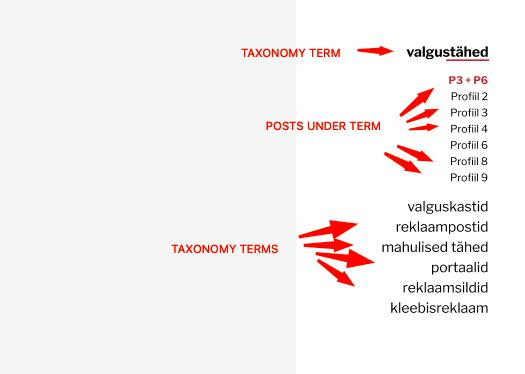
I need to create a nested query and wondering if maybe I can use some existing tutorial but cant find one.So a parent query for taxonomy terms and then query the corresponding posts under each term.
I want to use it on the single-post (cpt) template. So it would highlight and expand the term attached to the current post. On the example image that would be post "P3+P6" and term "valgustähed"
Is there a tutorial I can use as a base? Or a full tutorial perhaps?
This Pro tutorial provides the steps to set up nested query loops in the single post (can be standard posts or a custom post type posts) Bricks template and use BricksExtrasPro Accordion element with a bit of custom JS to automatically expand the first category (or the term of a custom taxonomy) that the current single post is assigned to.
Step 1
Install and activate BricksExtras.
Enable Pro Accordion element.
Step 2
Create/edit your single post Bricks template.
Add a Pro Accordion element.
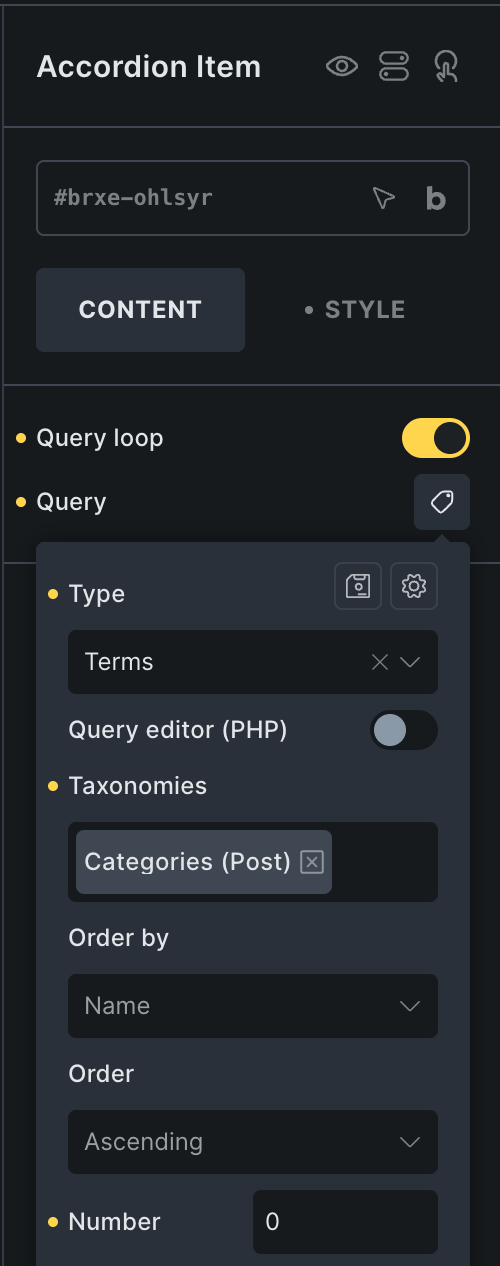
Enable query loop on the Accordion Item.
Change the type to Terms and select your taxonomy (category in this example).
Setting Number to 0 for terms is equivalent to setting the total number of posts to 0 for a posts query loop.
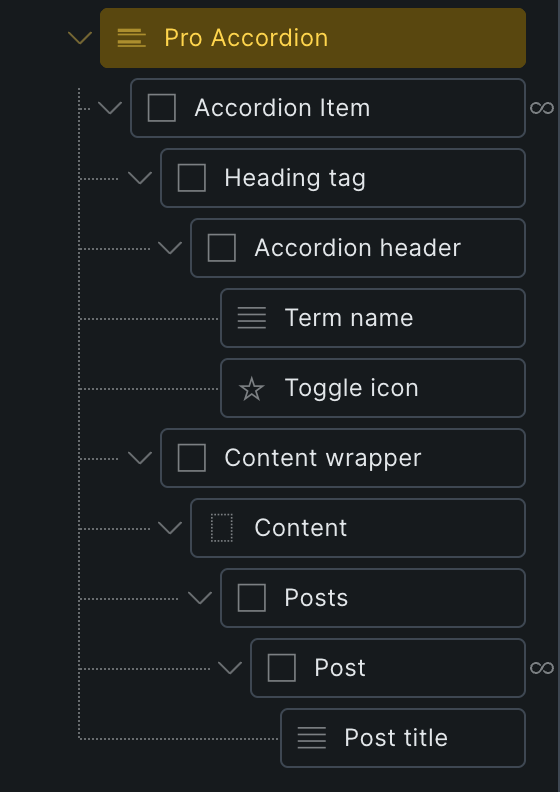
Select Basic Text inside Accordion header and set its text to:
{term_name}
You may want to change the label to "Term name".
Delete the Rich Text element inside Content wrapper.
Add a Block, change its label to "Posts". Add a Block inside and change its label to "Post".
Enable query loop on Post and set its post type. Set Posts per page as needed.
Add a Basic Text element and change its text to:
{post_title:link}
and change its HTML tag to p.
You should now have posts grouped by categories in an accordion.
Step 3
At Manage (gear icon) → PAGE SETTINGS → CUSTOM CODE → Body (footer) scripts, add:
How to Move an Element into Another on Smaller Viewports in Bricks
This Pro tutorial provides the steps to move a Block containing a Heading and WP Grid Builder's Facet into BricksExtras' OffCanvas element for viewports 991px…