
A couple of members asked:
I have a cpt called "Markets" aand a cpt "tools". Tools have a taxonomy "tools group". How can i create a relation between Market (cpt) and tool group (taxonomy). My goal is to display related market inside the tool group (taxonomy) archive. Thanks
Hi, I have a CPT=“Product” with a taxonomy=”Product-group” and a CPT=”Team member”. Is it possible to link Team member and product-group with a bi-directional relation using ACF? And then ouput the related product group inside team member single template? It would be great if you're able to help me with this! Many thanks in advance!
This Pro tutorial walks through the process of setting up a bidirectional relationship between posts of a CPT and a custom taxonomy of another CPT and outputting the items of related object(s) on the single CPT pages and term archive pages in Bricks using ACF.
Scenario covered in this tutorial: Team Member <-> Product Category.
Product Category is a taxonomy for another CPT (Product).
Sample Team Member posts:


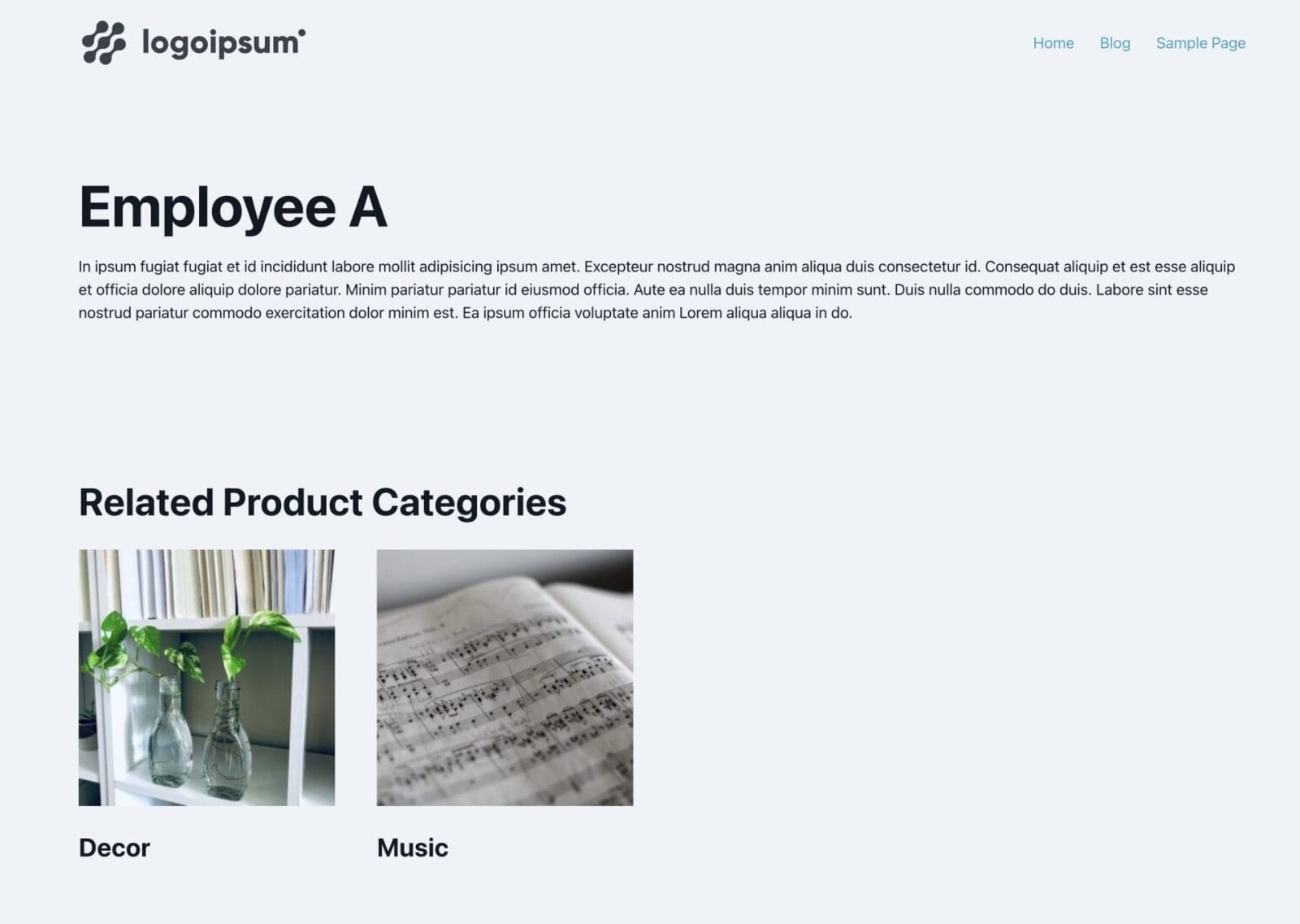
After implementing the tutorial, 'Employee A' post on the front end:

'Employee B' post on the front end:

'Decor' product category archive in the backend:

On the front end:

'Music' product category archive in the backend:

On the front end:

We shall also ensure that the Sections get output only if there is at least one related item (CPT post or taxonomy term).
Step 1
Install and activate ACF.
Create your CPT.
Ex.:

Create the other CPT and an associated taxonomy. In our dev site, we used product CPT and product_cat taxonomy that come with WooCommerce.
Step 2
Create a field group for your main CPT (team-member in this example).


