16th May '26
/
0 comments

How to move data attributes from outer element to nested element in Bricks

Consider a scenario where a Container/Block in Bricks is made up of image on the left side and a heading with text blurb on the right with both image and heading linking to the same URL.
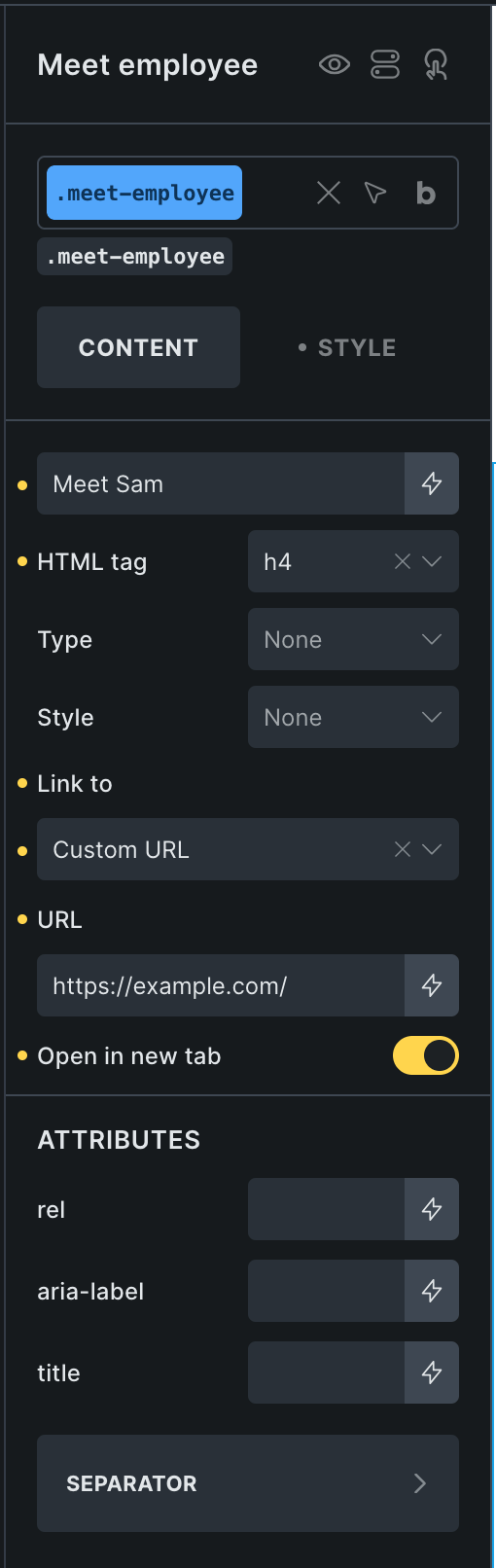
It is recommended to follow a Single Action Pattern in this case by setting aria-hidden: true and tabindex: -1 for the heading element's anchor tag for accessibility.

The problem though is that when these custom data attributes are added to the heading element, they apply to the heading itself:

when they should be applied to h4 > a, like this:

This Pro tutorial provides the code snippet for this.

Add the following in child theme's functions.php (w/o the opening PHP tag) or a code snippets plugin:

This is a BricksLabs Pro tutorial.

For full access login below or create your BricksLabs Pro account

Get access to all 633 Bricks code tutorials with BricksLabs Pro

Related Tutorials..

Pro
Outputting Only the First ACF Repeater Row in Bricks

Outputting Only the First ACF Repeater Row in Bricks

Updated on 12 Dec 2023 In the Bricks Facebook group a user asks: How can I display only the first entry from an ACF repeater?…
How to Exclude Elements from Bricks Editor

How to Exclude Elements from Bricks Editor

Bricks has a handy bricks/builder/elements filter using which the available elements that show up after clicking + (or ⌃/⌘ + ⇧ + E) in the…
Categories:
Tags:
Pro
How to add a Class to all Images in Bricks Galleries

How to add a Class to all Images in Bricks Galleries

Learn how to add a custom class to all the images rendered by Bricks' Gallery elements so these images can be excluded from Perfmatters' Lazy…
Pro
Conditional CSS Classes based on Bricks Query Count

Conditional CSS Classes based on Bricks Query Count

In a Bricks project I am currently working on, there are nested query loops - team members inside departments on a Page. Each team member…