
A user asks:
Hey everyone — I’m building a grid in Bricks loop (3 columns) and I want to inject random quote cards in alternating positions across rows (3rd, 2nd, 1st, etc). (I’m thinking about a quote CPT)
I’ll be using the bricks query filters to handle this.
I know I could build the whole thing custom too, but I’m aiming to achieve the layout in the screenshot I’ll share using the maximum of Bricks builder.
Curious how others would approach it, please let me know your thoughts
Thank you
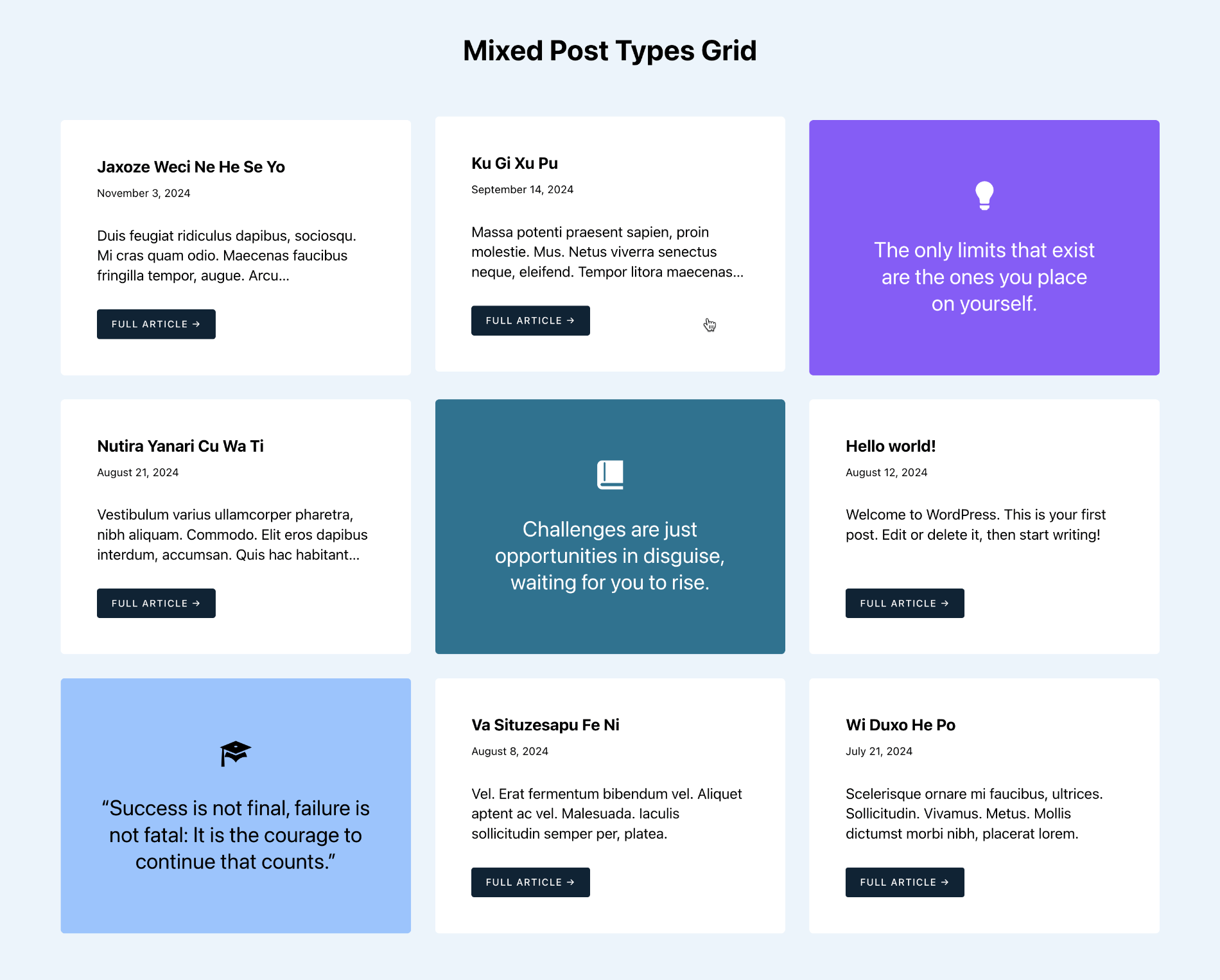
If items of both the post types are to show the same type of data, for example, post title, published date and excerpt we could set up data attribute or a dynamic class on the query loop and add CSS order property to manually arrange the quote posts in each row. This is especially true when the number of items in the grid is fixed - say 9.
For maximum flexibility though, when the number of posts could be 9 or any other number, it is better to have two different conditional blocks - each having the elements needed for that post type and write PHP to set post__in query param to the items in the desired order:
post, post, quotepost, quote, postquote, post, post
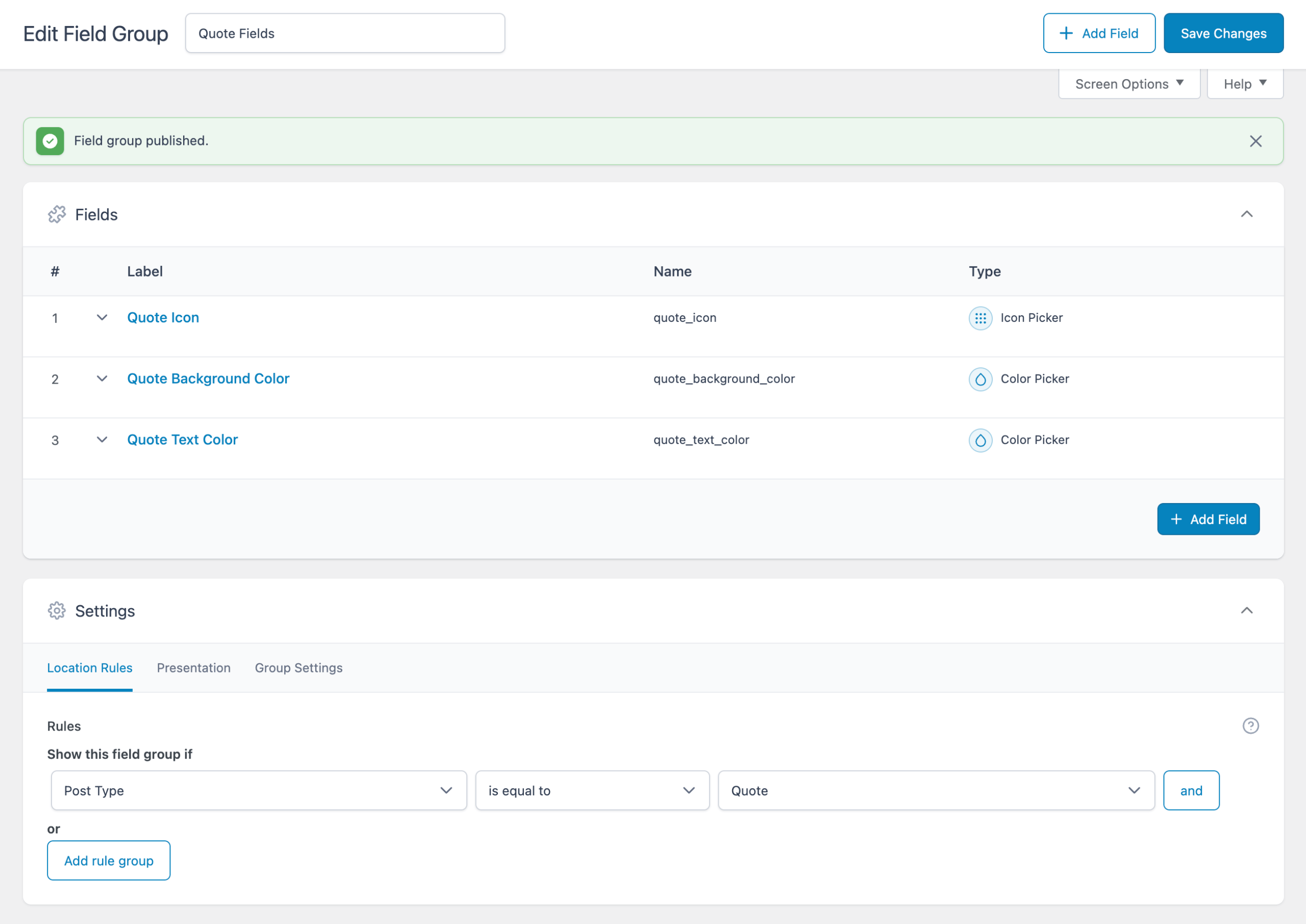
We shall set up custom fields for icon, background color and text color for the quote posts, pull their values and show/apply to the quote posts.
This Pro tutorial provides the steps to set up a mixed post types grid in Bricks, where you can display both standard posts and custom quote cards in alternating positions using custom PHP query, custom fields, and conditional blocks for maximum layout flexibility.
Step 1
Create quote CPT using your favorite plugin.
We are using ACF in this tutorial.
Create custom fields.
Add quote posts.

Publish more than 3 since you want these to be random.
Step 2
Whitelist the get_post_type function. We will be using this to conditionally render elements depending on the post type.
Ex.:
<?php

add_filter( 'bricks/code/echo_function_names', function() {
  return [
    'get_post_type'
  ];
} );
You should also add other functions (native or custom) being used in your Bricks instance besides get_post_type. This can be checked at Bricks → Settings → Custom code by clicking the Code review button.
More info on whitelisting can be found here.
Step 3
Edit a Page or a Template with Bricks.
Copy the JSON from the link below and paste to import the fully-built Section from our dev site.
Note: ACSS classes and variables are used.


