
In the past we showed how a Bricks posts query loop can be filtered by Meta Box group’s subfield of types text/number and Datepicker here.
This Pro tutorial provides the steps to filter posts when the subfield is Radio type.
Consider this scenario:
CPT: store
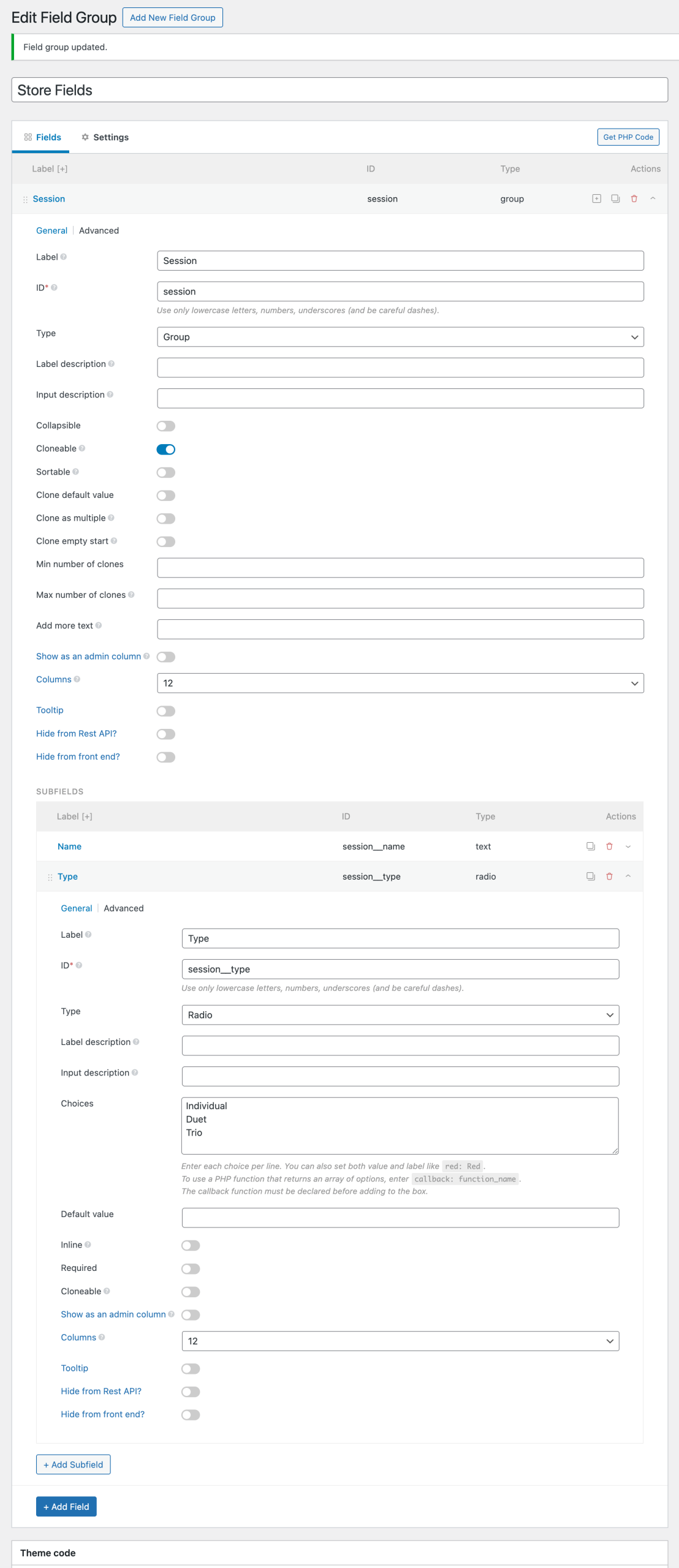
Field group:
session (cloneable group)
|__ session_name (text)
|__ session_type (radio) with these choices:
|____ Individual
|____ Duet
|____ Trio
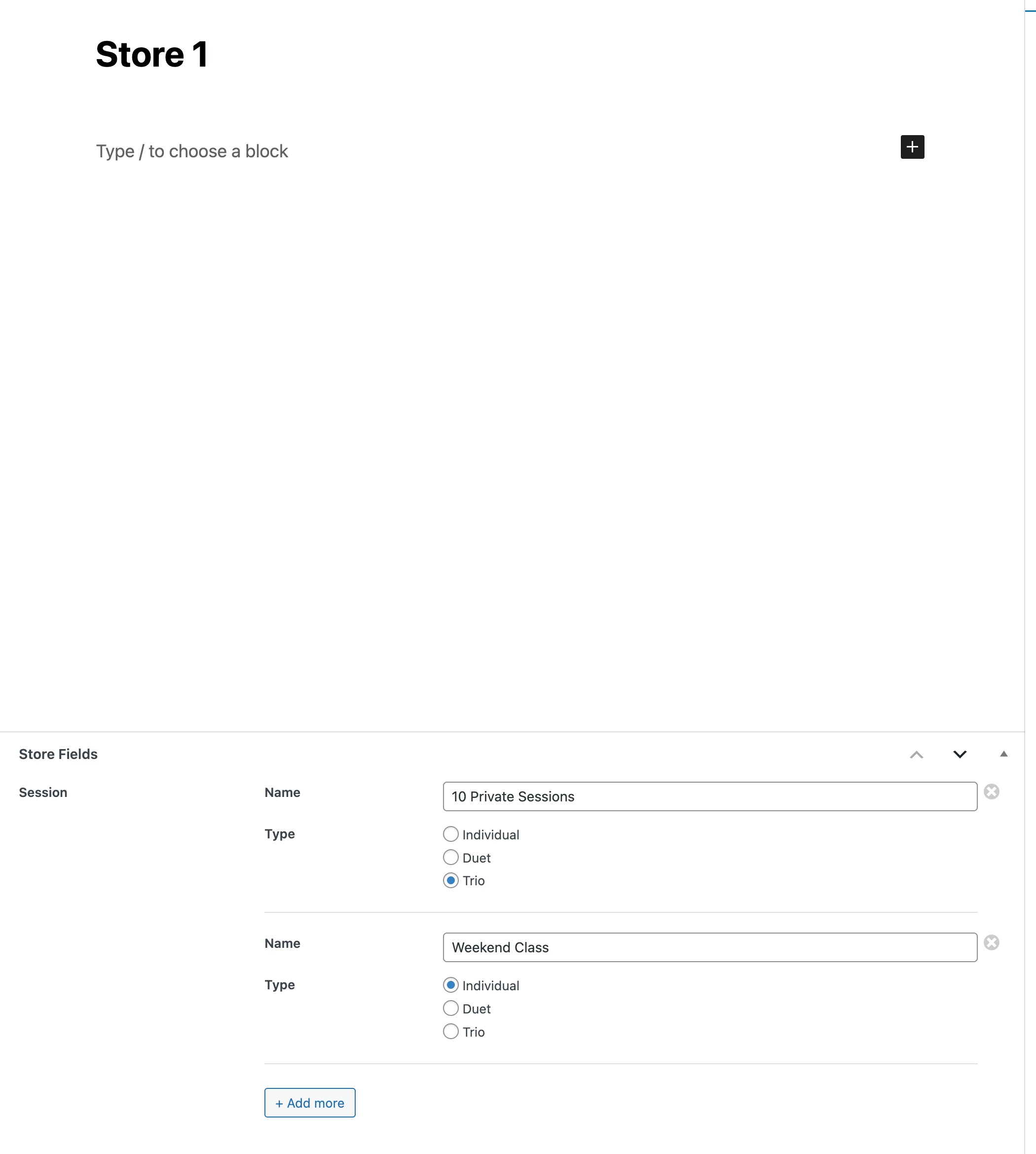
A post can have 1 or more sessions:
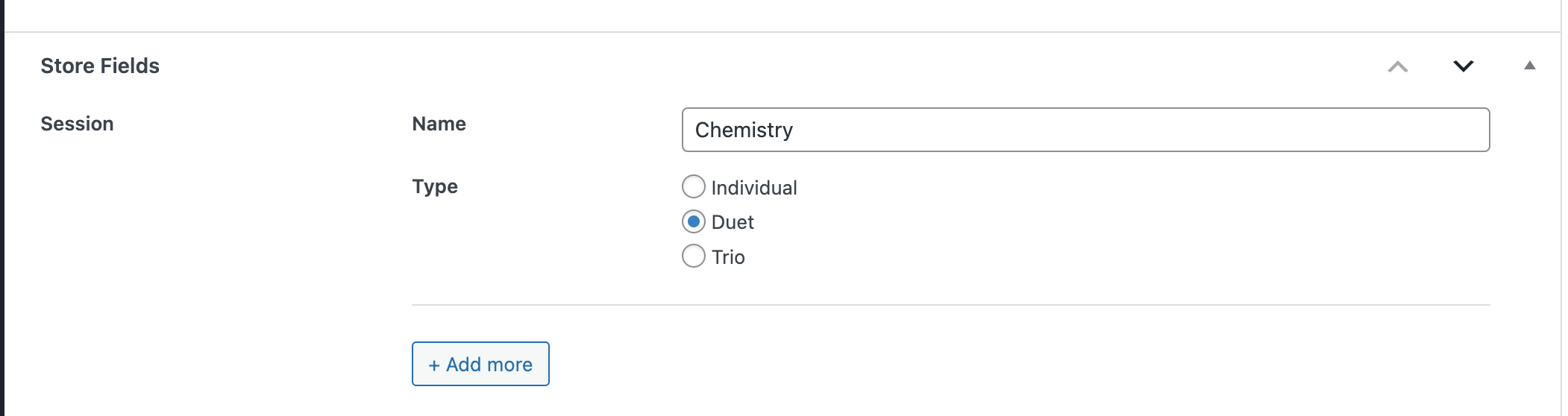
Another post:
The objective is to show all the posts for which session type is the specified string i.e., Individual or Duet or Trio.
Step 1
Set up query loop in a Page or Template.
Enable PHP query.
Paste:
$session_type = 'Individual';

// Validate session type
$valid_types = [ 'Individual', 'Duet', 'Trio' ];
if ( ! in_array( $session_type, $valid_types, true ) ) {
  return [ 'post__in' => [ 0 ] ]; // Return empty result for invalid session type
}

return [
  'post_type'      => 'store',
  'posts_per_page' => -1,
  'no_found_rows'  => true,
  'meta_query' => [ // Meta query to filter by session type
    [
      'key'     => 'session',
      'value'   => '"session__type";s:' . strlen( $session_type ) . ':"' . $session_type . '"',
      'compare' => 'LIKE',
    ],
  ]
];
Enter the session type to be filtered by in the first line in the above code.
"session__type";s:' . strlen( $session_type ) . ':"' . $session_type . '"pattern creates a search string that matches the PHP serialized format of the session__type field within the Meta Box data, including the exact field name, string indicator, character count, and the value itself.
Sign code and save.
Step 2
Add a Post Title element inside the QL enabled Block.
That’s it! Now your query loop will be filtered to show only the posts that have at least 1 group with the matching Meta Box radio-type sub field.








2 comments
Joffrey Persia
Where is the next part ?
Sridhar Katakam
There's no second part.
I've updated the tutorial to add:
> That's it! Now your query loop will be filtered to show only the posts that have at least 1 group with the matching Meta Box radio-type sub field.