27th Jun '25
/
0 comments

How to Query WordPress Taxonomy Terms by Hierarchy Level in Bricks

This Pro tutorial provides the steps to limit the terms of a Bricks Terms query to only those at a specific level within the taxonomy hierarchy.

Consider this WooCommerce product categories hierarchy:
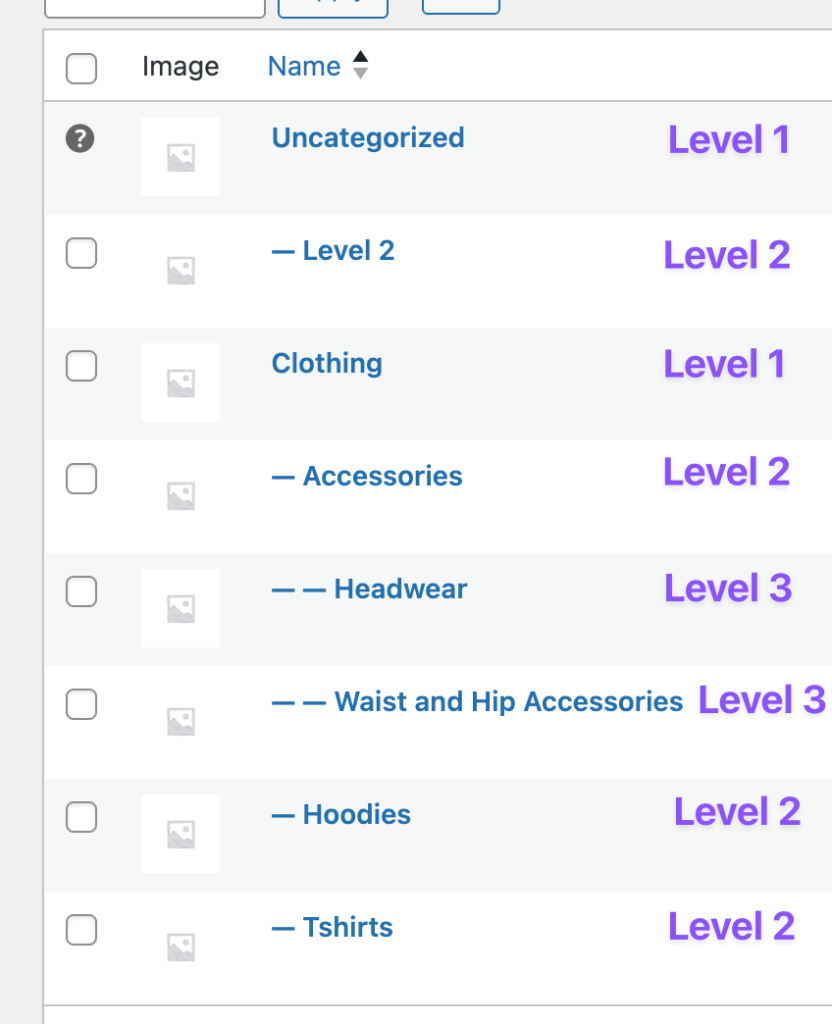
After implementing the tutorial we can output all terms in level 1 or 2 or 3 etc.

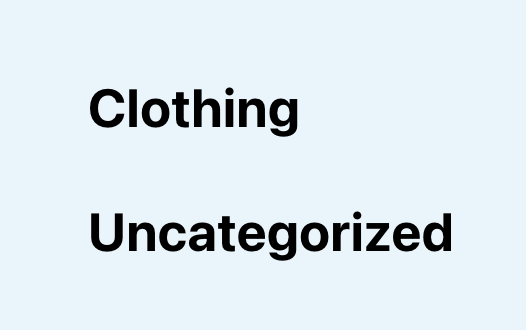
Terms in level 1 (note this is also possible w/o any custom code):
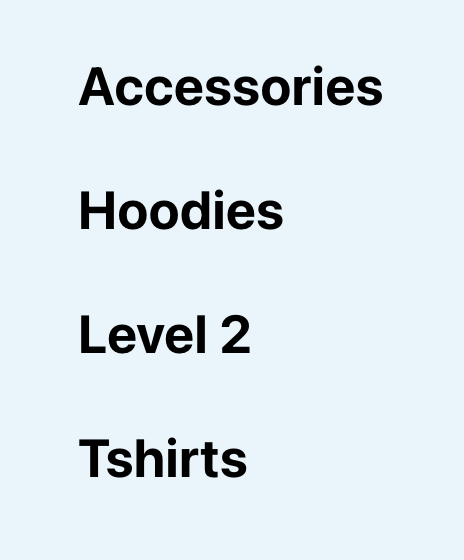
Terms in level 2:
Terms in level 3:

Step 1

Add the following in child theme's functions.php (w/o the opening PHP tag) or a code snippets plugin:

This is a BricksLabs Pro tutorial.

For full access login below or create your BricksLabs Pro account

Get access to all 630 Bricks code tutorials with BricksLabs Pro

Related Tutorials..

Pro
Current Single Post Reference From Inside a Bricks Query Loop

Current Single Post Reference From Inside a Bricks Query Loop

Use case: Get the single post’s custom field (like ACF Repeater or Meta Box Group) array row corresponding to the loop’s counter/index
Categories:
Pro
Outputting an Element in Bricks x times where x is a custom field value

Outputting an Element in Bricks x times where x is a custom field value

Learn how to output a query loop item(s) as many times as the value of a custom field in Bricks.
Categories:
Pro
Bricks Query Loop – How to Insert Elements After Every Nth Post

Bricks Query Loop – How to Insert Elements After Every Nth Post

Update: Follow this tutorial instead. This Pro tutorial provides the steps to output element(s) in a Bricks' query loop after every nth post. Use case:…
Categories:
Pro
Limit the Number of Posts in a Bricks Query Loop of Relationship Type

Limit the Number of Posts in a Bricks Query Loop of Relationship Type

Updated on 12 Dec 2023 Bricks Query Loop popup does not have a control for setting the number of posts to be output when the…
Pro
Custom SQL Ordering for Sorting Events in Bricks

Custom SQL Ordering for Sorting Events in Bricks

Showing events ordered by the event date with upcoming events in ascending order and past events in descending order.
Categories:
Pro
Query Loop Index in Bricks

Query Loop Index in Bricks

This Pro tutorial provides the code for getting the index of each post in Bricks' query loops. This can be used for either outputting the…
Categories:
Pro
Dynamic Horizontal Posts Accordion in Bricks

Dynamic Horizontal Posts Accordion in Bricks

Creating a horizontal accordion of featured images from posts output by Bricks' query loop.
Categories:
Tags:
Pro
Dynamic Horizontal Posts Accordion in Bricks

Dynamic Horizontal Posts Accordion in Bricks

Update on 8 Sep 2024: You may want to follow the newer version that considers accessibility. Looking to make a Horizontal Image Accordion dynamic? This…
Pro
Query Loop in Bricks

Query Loop in Bricks

This Pro tutorial walks you through the steps to use the Query Loop feature in Bricks to display a responsive grid of posts using CSS…
Categories: