26th Jun '25
/
0 comments

Dynamically Displaying Connected Content Offer Images in Bricks using Meta Box Relationship

Consider the following scenario from a recent project I worked on.

CPT 1: project

CPT 2: content-offer

Taxonomy for Projects: remodel-typeSample term names: Backyard Cottages and DADUs, Bathrooms, Garages, Kitchens

Meta Box Relationship: Remodel Type to Content Offer (screenshot)From Term to Post

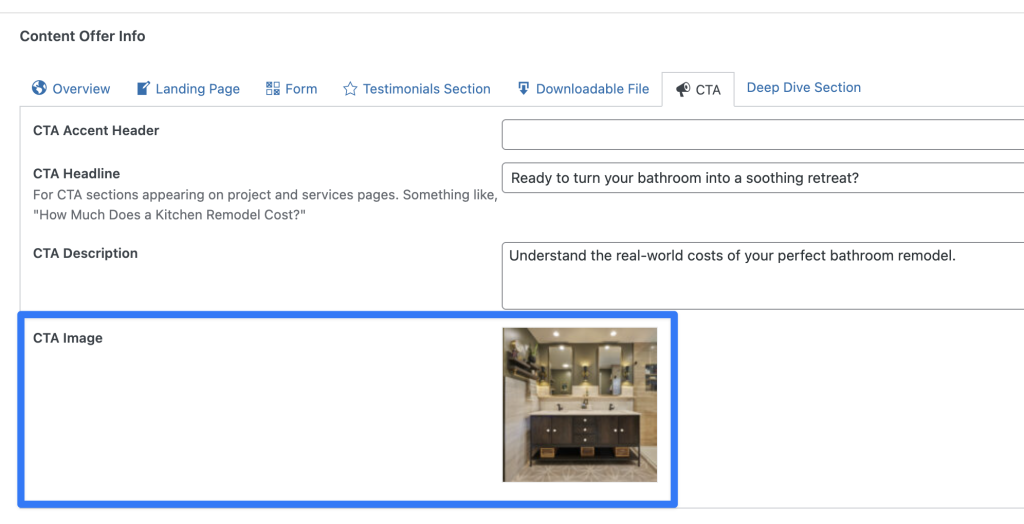
Content offer custom field: cta_image (type: Single Image)

Sample project: University District Kitchen and BathRemodel Types: Bathrooms and Kitchens

Requirement: On single project posts, get the first remodel type term, then get the first connected content offer, then get its cta_image ID.

This Pro tutorial shows how this can be done in Bricks.

Continuing with the current example, the first remodel type term is Bathrooms and the corresponding content offer is "Bathroom Pricing Guide".

Bathroom Pricing Guide's CTA image:
When done, we would use the name of the below custom function in an Image element in single project Bricks template like this:

Code can be added in child theme's functions.php (w/o the opening PHP tag) or a code snippets plugin.

This is a BricksLabs Pro tutorial.

For full access login below or create your BricksLabs Pro account

Get access to all 627 Bricks code tutorials with BricksLabs Pro

Related Tutorials..

Pro
Meta Box Relationship Posts Filtered by a Taxonomy Term in Bricks

Meta Box Relationship Posts Filtered by a Taxonomy Term in Bricks

Updated on 17 Feb 2025 In the Inner Circle a user asks: Hello, I have a relationship made in metabox between two Post Types “Travel”…
Categories:
Pro
MB Favorite Posts in Bricks

MB Favorite Posts in Bricks

This tutorial explores using MB Favorite Posts in Bricks, including outputting the list of favorites via a query loop.
Categories:
Pro
Meta Box Related Project’s Featured Image URL on Single Reviews

Meta Box Related Project’s Featured Image URL on Single Reviews

Updated on 26 Jun 2025 In a recent website I worked on, a requirement was to get the URL of the featured image of a…
Pro
Bricks Dynamic Condition – Check if today falls within 5 days before any holiday date

Bricks Dynamic Condition – Check if today falls within 5 days before any holiday date

Creating a custom condition that returns true or false depending on whether today falls within 5 days before any holiday dates selected on a Meta…
Categories:
Tags:
Pro
Meta Box Date Field Value Custom Format in Bricks

Meta Box Date Field Value Custom Format in Bricks

Updated on 3 Apr 2024 Note: A custom function is no longer needed. Use the date format filter, as mentioned in the Bricks documentation. Ex.:…
Categories:
Tags:
Pro
Bricks Forms + Meta Box: Auto-Create Post Relationships on Form Submission

Bricks Forms + Meta Box: Auto-Create Post Relationships on Form Submission

How to link a Bricks post-creation form on a post to a newly created post of another post type using Meta Box relationship.
Pro
Filtering Bricks Query Loop By Meta Box Relationship

Filtering Bricks Query Loop By Meta Box Relationship

In the Bricks Facebook group a user asks: Consider this setup: CPTs: Service Areas and City Pages Meta Box Relationship: City Pages to Service Areas…
Categories: