
This Pro tutorial provides the steps for animating the posts output by a Bricks query loop in a staggered animation.
We will cover 3 cases:
- once per page load
- once when scrolling from top to bottom as the posts come into view
- multiple times when scrolling from top to bottom or bottom to top as the posts come into view
CSS-only approach when the number of posts is known
If the number of posts is fixed/known, we can just use CSS. The downside is that the staggered animations run on page load and not when the posts come into view as they are scrolled to. If you prefer the fade in animations as the posts come into view, use the JavaScript approach detailed further down.
Set up your posts query loop.
If you want a head start, copy and paste the fully-built Section from here.
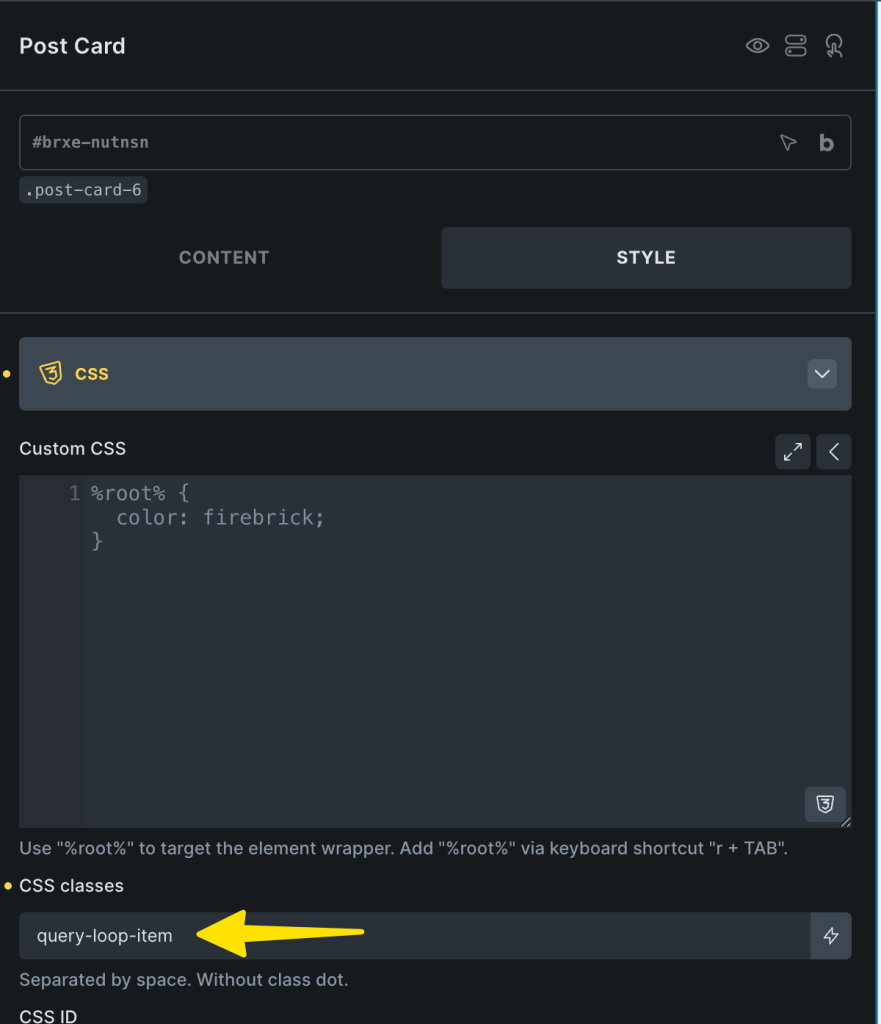
Select the query loop-enabled Block element, go to its CSS settings and add this class: query-loop-item
In the Page/Template PAGE SETTINGS, add this in Custom CSS:


