Conditionally Render ACF Custom Fields in the Post EditorHow to conditionally show ACF meta boxes based on how many parents a custom post type has.Read more →Categories: Free, PluginsTags: ACF, acf/prepare_field, Filters
Pro ACF Repeater sub field value dynamic data condition in BricksThis Pro tutorial provides the steps to output an element on single posts (can be of any post type) only if a specified ACF (Pro)…Read more →Categories: Bricks, Plugins, ProTags: ACF Pro, Conditions, Dynamic Data
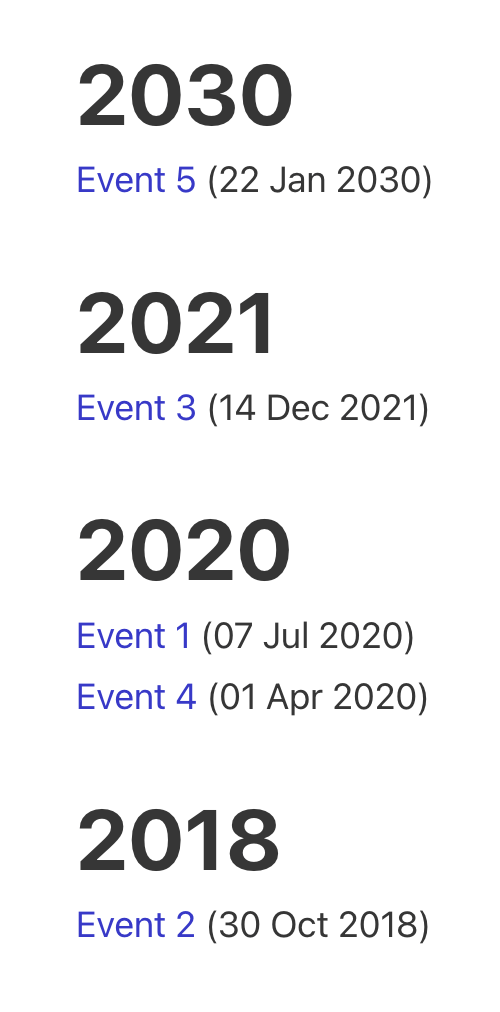
Pro Events grouped by Event Date custom field in BricksThis Pro tutorial for Bricks users provides the steps to output posts of an event custom post type dynamically grouped by the value of their…Read more →Categories: Bricks, Plugins, ProTags: ACF, Nested Queries
Pro ACF Relationship in Bricks using Posts Query LoopBricks includes ACF Relationship type of query out of the box for showing posts (on single pages of a post type) related via a ACF…Read more →Categories: Bricks, Plugins, ProTags: ACF, bricks/element/settings, Relationship
Pro Configuring Image Gallery dynamic source in BricksLet's say you have a custom field created with ACF Pro of the type Gallery called "Property Gallery" for posts of "Property" CPT. In the…Read more →Categories: Bricks, Plugins, ProTags: ACF Pro, Image Gallery, render_tag
ACF Gallery Images Count Dynamic Condition in BricksConditionally output elements based on how many images are present in the current post’s ACF Gallery field.Read more →Categories: Bricks, FreeTags: ACF Gallery, ACF Pro, Dynamic Data
ACF Repeater Sub Field DataHow to get a specific sub field’s data like its label from a specific ACF Repeater.Read more →Categories: Bricks, Free, PluginsTags: ACF Repeater
Pro ACF Gallery Query Loop in BricksHow we can set the images from a Gallery-type ACF Pro field as loop items of a Bricks query loop.Read more →Categories: Bricks, Plugins, ProTags: ACF Gallery, ACF Pro, Query Loop
Modifying ACF Field Value Before It Is OutputConsider the scenario where a Page has a "Page Fields" field group created with ACF Pro like this: Field name: scientific_coordinators (type Repeater)|__ Sub field…Read more →Categories: Bricks, Free, PluginsTags: ACF Pro, Filters
Pro Related FAQs on Product pages Based on Product Category Taxonomy in BricksOn product pages, we show all the FAQs associated with the current WooCommerce product's product categories.Read more →Categories: Bricks, Plugins, ProTags: ACF, WooCommerce
Pro Filtering Query Loop Posts by a Non-empty Custom Field in BricksThis Pro tutorial shows how we can prefilter the results of a query output by a Bricks query loop to only those for which the…Read more →Categories: Bricks, Plugins, ProTags: ACF, Meta Box
Color Custom Field as Section Background Color on Category/Term Archives in BricksHow to use a color from a taxonomy term custom field for as the hero section background color on archive pages.Read more →Categories: Bricks, FreeTags: ACF, Meta Box