Opens in a new tab
24th Feb '25
/
0 comments

Sorting a Cloneable Meta Box Group by a Date Subfield in Bricks

In the past we showed how to order Meta Box group rows in Bricks by a text-type subfield here.

This Pro tutorial covers the same, but for a Date Picker subfield.

Consider this field group:

and in the post editor of a sample Page:

With the query type set to this Meta Box group in the Bricks editor, the default output:
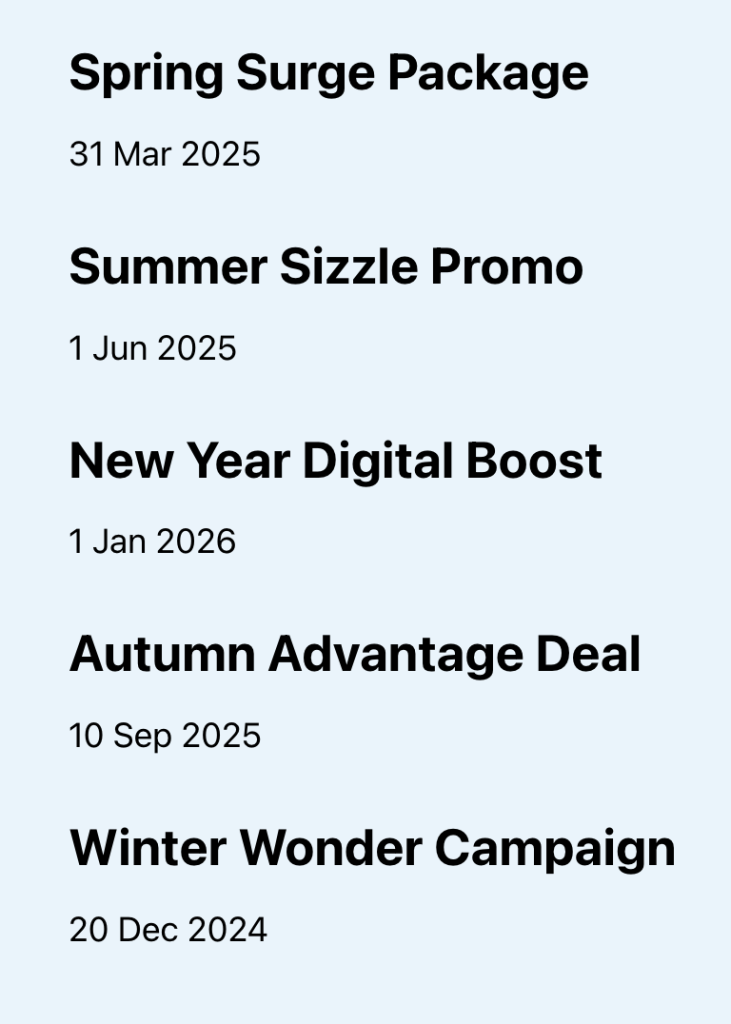
The items will be in the same order as they are in the backend.

After implementing this tutorial, the items will be output in ascending (or descending if you choose to) order of the offer date i.e., the oldest first. Like this:
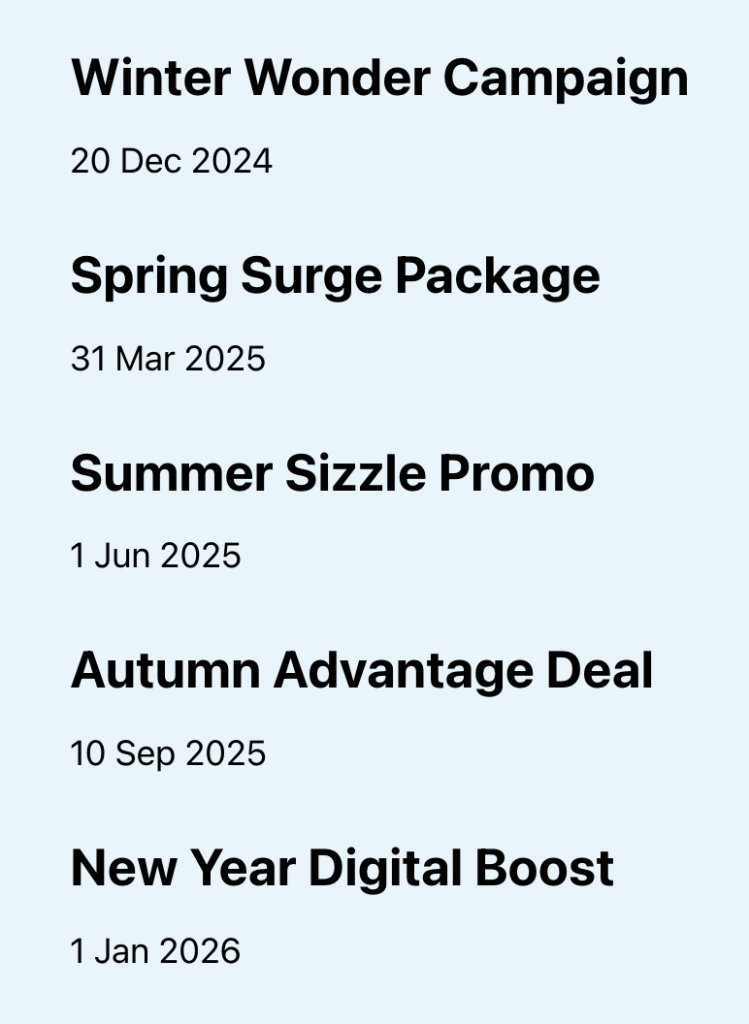
Add the following in child theme's functions.php (w/o the opening PHP tag) or a code snippets plugin:

This is a BricksLabs Pro tutorial.

For full access login below or create your BricksLabs Pro account

Get access to all 633 Bricks code tutorials with BricksLabs Pro

Related Tutorials..

How to Add a Custom Control Field to an Element in Bricks

How to Add a Custom Control Field to an Element in Bricks

In this tutorial, we'll learn how to add a custom control field to an element and dynamically change a CSS property inside the builder. Introduction…
Categories:
Tags:
Pro
Filtering posts by a group field’s subfield value with Meta Box when using a custom table in Bricks

Filtering posts by a group field’s subfield value with Meta Box when using a custom table in Bricks

Filtering a query loop to output only those posts with the value of a Select subfield of a Group field set to Yes when using…
Categories:
Tags:
Pro
Nested Meta Box Query Loop Inside a CPT Query Loop in Bricks

Nested Meta Box Query Loop Inside a CPT Query Loop in Bricks

This Pro tutorial provides the steps for setting up a cloneable Meta Box group query inside a CPT query in Bricks. Scenario: CPT: course Meta…
Categories:
How to create filters with IsotopeJS in Bricks (Part 1)

How to create filters with IsotopeJS in Bricks (Part 1)

This tutorial series will explore the IsotopeJS library's features inside the Bricks ecosystem.
Categories:
Pro
Meta Box Related Project’s Featured Image URL on Single Reviews

Meta Box Related Project’s Featured Image URL on Single Reviews

Updated on 26 Jun 2025 In a recent website I worked on, a requirement was to get the URL of the featured image of a…
Output HappyFiles Folders in Metabox Select-Field

Output HappyFiles Folders in Metabox Select-Field

This tutorial is part of a series where I'm gonna show you how to output custom HappyFiles Galleries and Sliders. Part one will cover a…
Categories:
Pro
Outputting Only the First ACF Repeater Row in Bricks

Outputting Only the First ACF Repeater Row in Bricks

Updated on 12 Dec 2023 In the Bricks Facebook group a user asks: How can I display only the first entry from an ACF repeater?…