10th Jul '25
/
0 comments

Category and Search Filtering for Nested Bricks Query Loops

This Pro tutorial provides the steps for adding a category names select dropdown and instant search input field for post titles (and excerpts, if present) so visitors can filter posts grouped by categories (or CPT posts grouped by a custom taxonomy) when using a Posts query loop nested inside a Terms query loop.
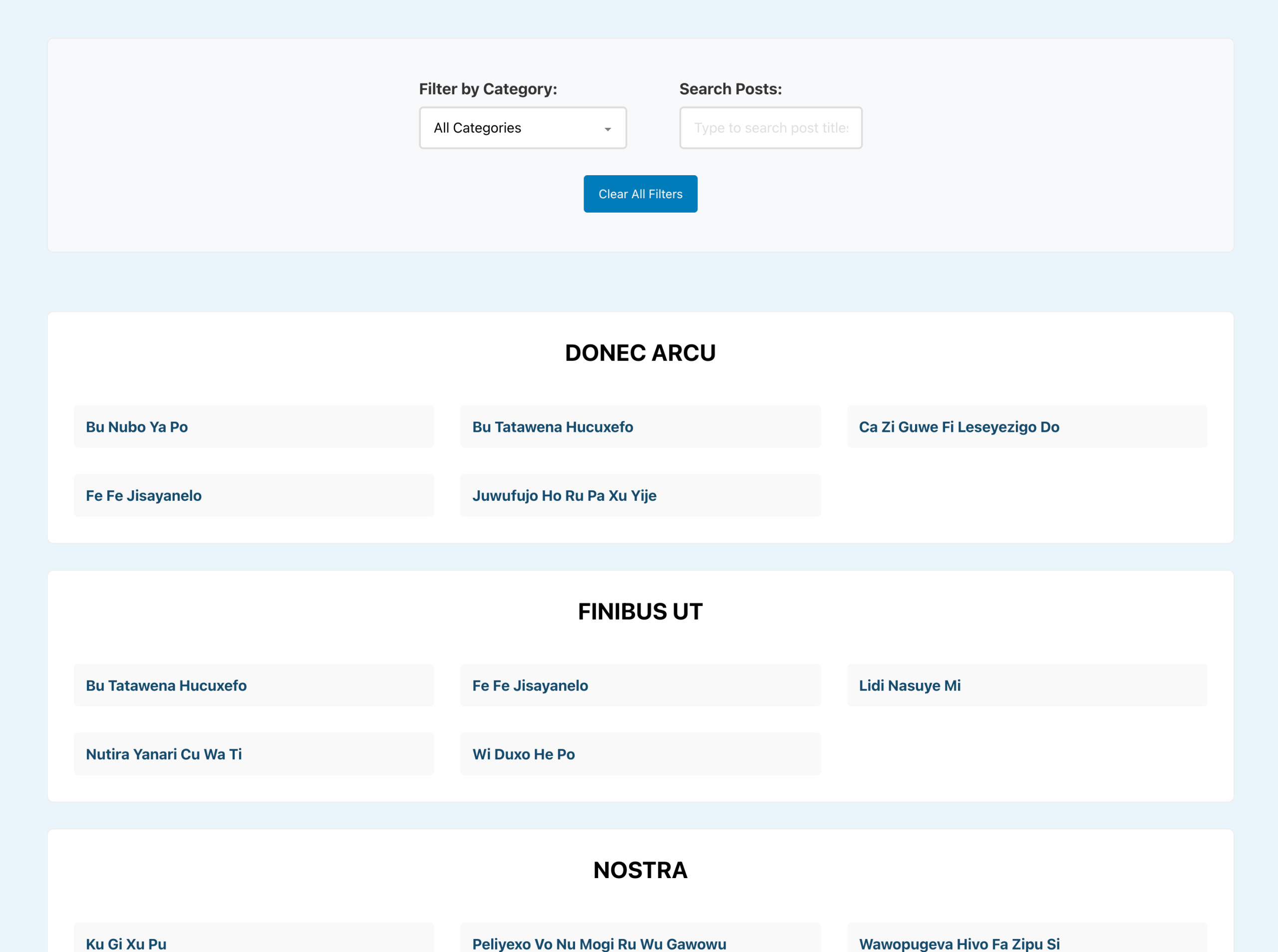
The solution incorporates:

  • Real-time category filtering with a dropdown interface
  • Instant search functionality that filters as users type
  • Combined filtering allowing users to search within specific categories
  • URL-based deep linking for clean URLs of shareable filtered results (?category=slug&search=term).
  • Custom post type compatibility that works with products, portfolios, events, or any post type
  • Custom taxonomy support for filtering by any taxonomy (categories, tags, or custom taxonomies)
  • A Reset button for the filters
  • No Results message for when there are no matching results
  • Browser back/forward button support

Step 1

Edit your Template or Page with Bricks.
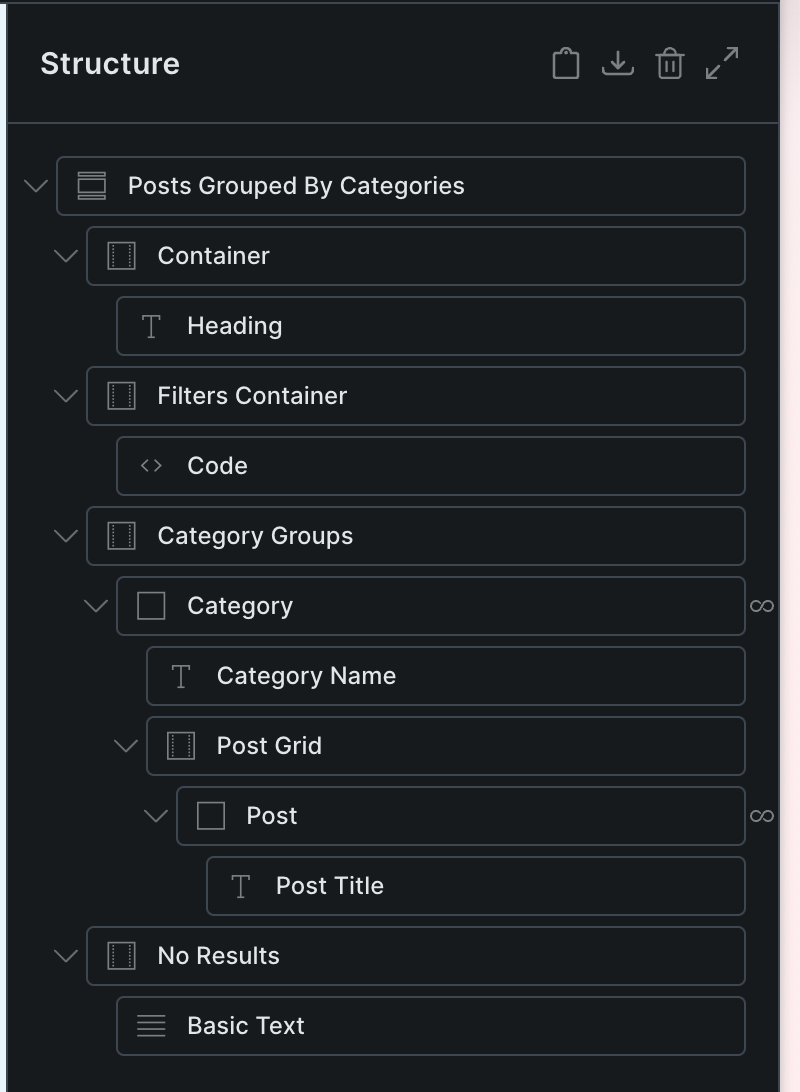
Copy and paste the JSON of the fully-built Section from the link below.

This is a BricksLabs Pro tutorial.

For full access login below or create your BricksLabs Pro account

Get access to all 613 Bricks code tutorials with BricksLabs Pro

Related Tutorials..

Pro
CMB2 Repeatable Group Bricks Query Loop

CMB2 Repeatable Group Bricks Query Loop

This Pro tutorial provides the steps to create a custom query loop type for outputting the subfield values of a Group field (repeatable) when using…
Pro
Upcoming Events Grouped by ‘Month Year’ in Bricks

Upcoming Events Grouped by ‘Month Year’ in Bricks

A custom query loop type for showing future events based on a date custom field using three nested query loops.
Pro
Dynamic Posts Lightbox in Bricks using GLightbox

Dynamic Posts Lightbox in Bricks using GLightbox

Steps to set create a dynamic lightbox with content from the post inside of the query loop.
Categories:
Latest Featured Posts First in Bricks Query Loop (No Duplicates)

Latest Featured Posts First in Bricks Query Loop (No Duplicates)

In the Bricks Facebook group a user asks: We can use AI to help unfreeze our brains sometimes or at least have it write the…
Categories:
How to apply a custom query var to multiple query loops in Bricks

How to apply a custom query var to multiple query loops in Bricks

In this tutorial, we'll learn how to apply a PHP filter to modify the query var of multiple query loops in a single function Introduction…
Categories:
Pro
ACPT Gallery Field Query Loop in Bricks

ACPT Gallery Field Query Loop in Bricks

How we can output images from ACPT‘s Gallery field for posts as a grid using a query loop.
Categories:
How to List Your Posts Divided by Categories in Bricks

How to List Your Posts Divided by Categories in Bricks

In this tutorial, we'll learn how to display a list of posts divided by each category. The DOM tree Here is how I structured my…
Categories: