16th Jul '22
/
0 comments

Auto Responsive Grids in Bricks

This tutorial provides the CSS that can be pasted for automatic responsive grids in Bricks Builder.

Posts element

Each post will get a right padding (30px by default) in the default Grid layout but the space to the right for posts in the last column is undesirable.
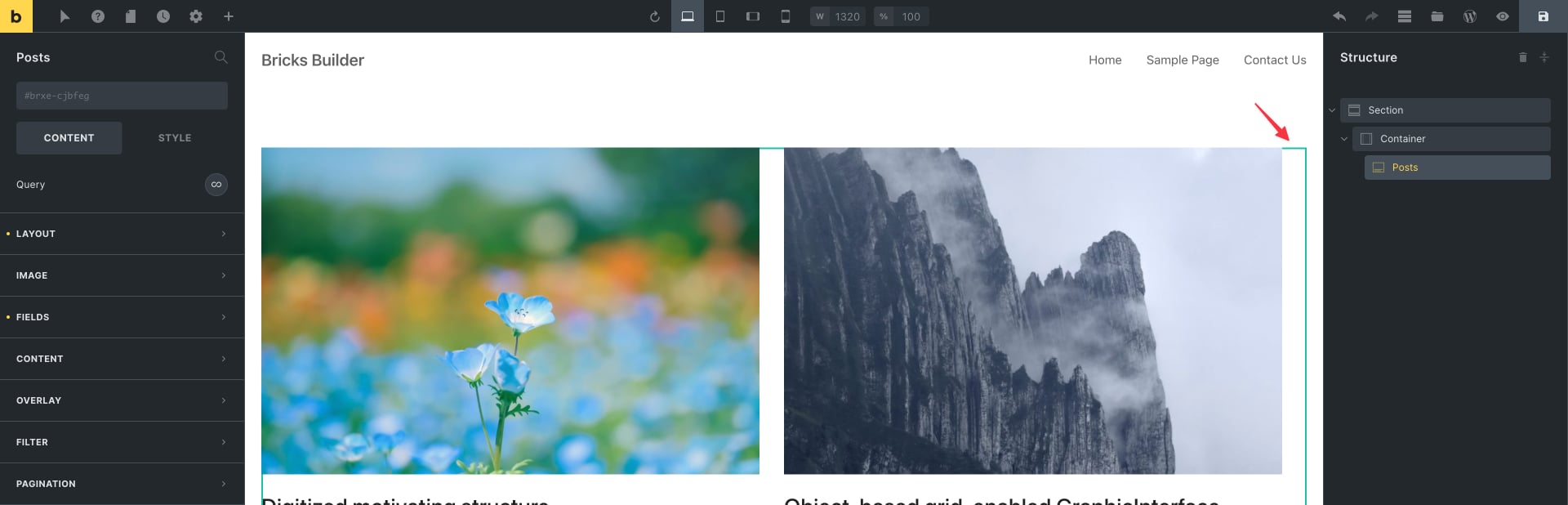
Here’s the fix. Add the following at STYLE → CSS → Custom CSS:

root .bricks-layout-wrapper {
	margin-right: 0;
	margin-bottom: 0;
	display: grid;
	grid-template-columns: repeat(auto-fit, minmax(300px, 1fr));
	grid-column-gap: 30px;
	grid-row-gap: 30px;
}

root .bricks-layout-item {
	width: auto;
	padding-right: 0;
	padding-bottom: 0;
}

We are changing the display of the posts’ wrapper from flex to grid and setting the column width to be a minimum of 300px (you can change this to your liking) and a maximum of 1 fraction of the available width.

If you wish to have more control (being able to specify the columns at different breakpoints) and use a manual CSS Grid, we covered that in the CSS Grid for Posts Element in Bricks tutorial.

Query Loop

If you have enabled the query loop on a Container/Block/Div element, here’s the equivalent CSS to be added to the parent of the element for which query loop is applied:

root {
	display: grid;
	grid-template-columns: repeat(auto-fit, minmax(300px, 1fr));
	grid-column-gap: 30px;
	grid-row-gap: 30px;
}
Get access to all 610 Bricks code tutorials with BricksLabs Pro

Leave the first comment


Related Tutorials..

Pro
Custom Posts Grid Layout in Bricks using CSS Grid

Custom Posts Grid Layout in Bricks using CSS Grid

There are at least three ways in which we can build custom loops in Bricks. Posts elementTurning on Query Loop on a containerCode element While…
Categories:
Pro
Post Data for the Current User in Bricks with Meta Box

Post Data for the Current User in Bricks with Meta Box

How to configure a query loop to output the post data of the SalesRep CPT associated with the current user.
Categories:
Displaying SureCart Featured Products & Products Collections with a Query Loop

Displaying SureCart Featured Products & Products Collections with a Query Loop

We walk through how to use a query loop to display SureCart products, featured products & collections.
Categories:
Pro
Limit the Number of Posts in a Bricks Query Loop of Relationship Type

Limit the Number of Posts in a Bricks Query Loop of Relationship Type

Updated on 12 Dec 2023 Bricks Query Loop popup does not have a control for setting the number of posts to be output when the…
Pro
Dynamic Posts Lightbox in Bricks using GLightbox

Dynamic Posts Lightbox in Bricks using GLightbox

Steps to set create a dynamic lightbox with content from the post inside of the query loop.
Categories:
How to create a dynamic infinite logo slider with ACF and Bricks

How to create a dynamic infinite logo slider with ACF and Bricks

This tutorial provides the builder settings, PHP & CSS codes that can be pasted in order to create an infinite logo slider in pure CSS…
How to display a Query Loop in 3 columns in Bricks

How to display a Query Loop in 3 columns in Bricks

This tutorial provides the builder settings and CSS codes that can be pasted in order to create a 3-columns query loop container inside Bricks Builder.
Categories: