19th Jul '24
/
0 comments

Bidirectional Relationship between a CPT and a Taxonomy of another CPT using ACF in Bricks

Bidirectional Relationship between a CPT and a Taxonomy of another CPT using ACF in Bricks

A couple of members asked:

I have a cpt called "Markets" aand a cpt "tools". Tools have a taxonomy "tools group". How can i create a relation between Market (cpt) and tool group (taxonomy). My goal is to display related market inside the tool group (taxonomy) archive. Thanks

Hi, I have a CPT=“Product” with a taxonomy=”Product-group” and a CPT=”Team member”. Is it possible to link Team member and product-group with a bi-directional relation using ACF? And then ouput the related product group inside team member single template? It would be great if you're able to help me with this! Many thanks in advance!

This Pro tutorial walks through the process of setting up a bidirectional relationship between posts of a CPT and a custom taxonomy of another CPT and outputting the items of related object(s) on the single CPT pages and term archive pages in Bricks using ACF.

Scenario covered in this tutorial: Team Member <-> Product Category.

Product Category is a taxonomy for another CPT (Product).

Sample Team Member posts:

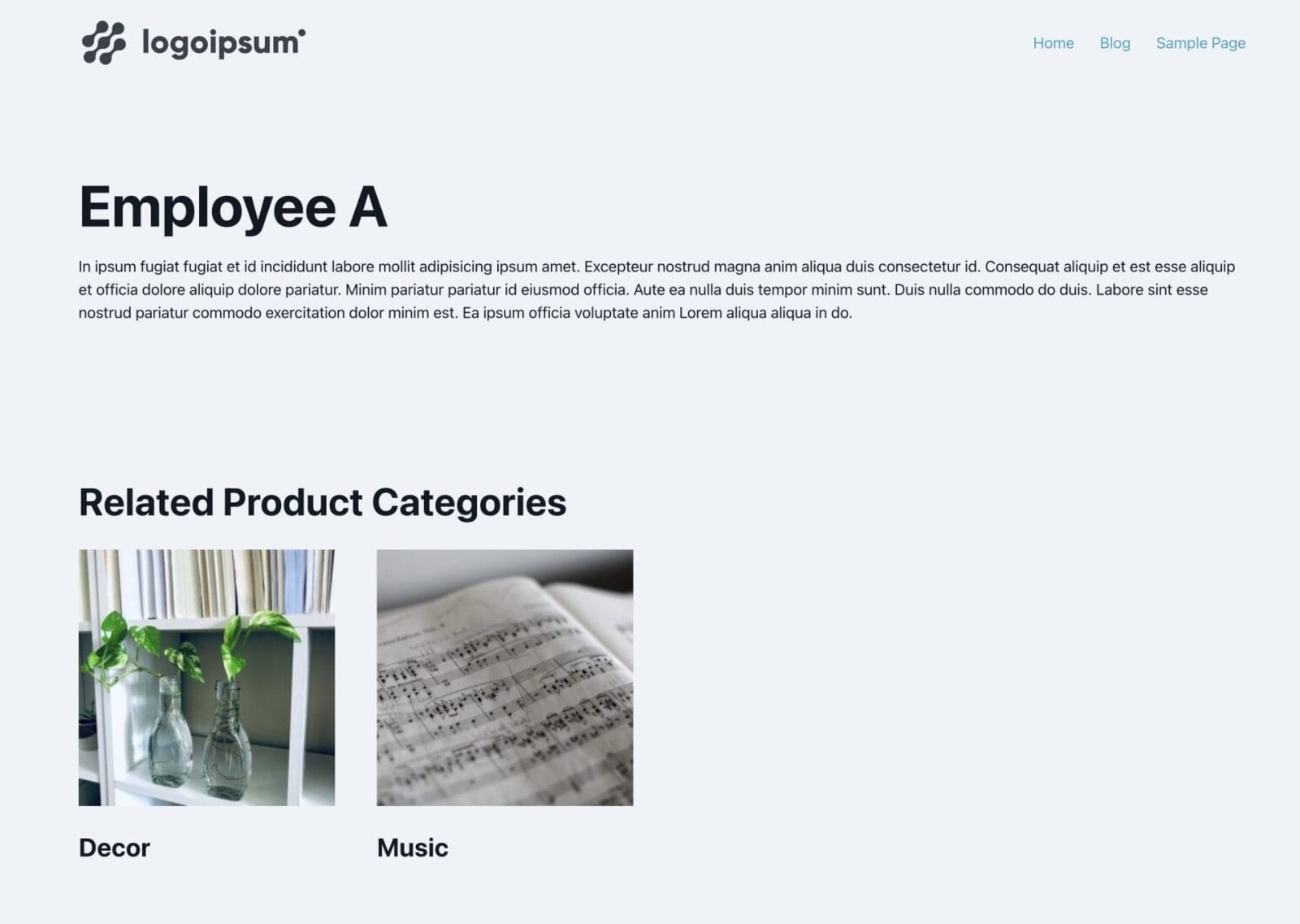
After implementing the tutorial, 'Employee A' post on the front end:

'Employee B' post on the front end:

'Decor' product category archive in the backend:

On the front end:

'Music' product category archive in the backend:

On the front end:

We shall also ensure that the Sections get output only if there is at least one related item (CPT post or taxonomy term).

Step 1

Install and activate ACF.

Create your CPT.

Ex.:

Create the other CPT and an associated taxonomy. In our dev site, we used product CPT and product_cat taxonomy that come with WooCommerce.

Step 2

Create a field group for your main CPT (team-member in this example).

This is a BricksLabs Pro tutorial.

For full access login below or create your BricksLabs Pro account

Get access to all 610 Bricks code tutorials with BricksLabs Pro

Related Tutorials..

Pro
Customizing ACF Repeater/Relationship or Meta Box Relationship Query Parameters in Bricks

Customizing ACF Repeater/Relationship or Meta Box Relationship Query Parameters in Bricks

For query types other than post, term and user in Bricks i.e, ACF Repeater/ACF Relationship/Meta Box Relationship there are no built-in controls for modifying the…
Categories:
How to create a dynamic infinite logo slider with ACF and Bricks

How to create a dynamic infinite logo slider with ACF and Bricks

This tutorial provides the builder settings, PHP & CSS codes that can be pasted in order to create an infinite logo slider in pure CSS…
Pro
ACF Repeater Row Count Condition in Bricks

ACF Repeater Row Count Condition in Bricks

This Pro tutorial provides the steps to output elements on single posts (of any post type) in Bricks only if a specific ACF Repeater-type of…
Categories:
Pro
Meta Box Relationship Posts Filtered by a Taxonomy Term in Bricks

Meta Box Relationship Posts Filtered by a Taxonomy Term in Bricks

Updated on 17 Feb 2025 In the Inner Circle a user asks: Hello, I have a relationship made in metabox between two Post Types “Travel”…
Categories:
Pods Relationship Field in Bricks

Pods Relationship Field in Bricks

In this Pro tutorial, we explore the Relationship field of Pods and share ways to output items of a related post type incl. the associated…
Categories:
Pro
ACF Relationship: Show all other events related to the artists of the current event

ACF Relationship: Show all other events related to the artists of the current event

How all other events related to the artists of the current event can be output in a Bricks query loop.
Categories:
Pro
Meta Box/ACF Images Staggered Grid Gallery in Bricks

Meta Box/ACF Images Staggered Grid Gallery in Bricks

Showing images from two Gallery-type of ACF or Image Advanced-type of Meta Box fields in a staggered grid layout.