
This tutorial explores different ways in which images from WordPress Media Library organized via HappyFiles can be pulled and shown in Bricks using query loop(s).
Note that these are only needed when you want more control than what the ‘HappyFiles – Gallery’ Bricks element added by HappyFiles provides.
Table of Contents
- HappyFiles folder images using nested query loops
- HappyFiles folder images using a single PHP query loop
- HappyFiles folder images with BricksExtras Dynamic Lightbox
HappyFiles folder images using nested query loops
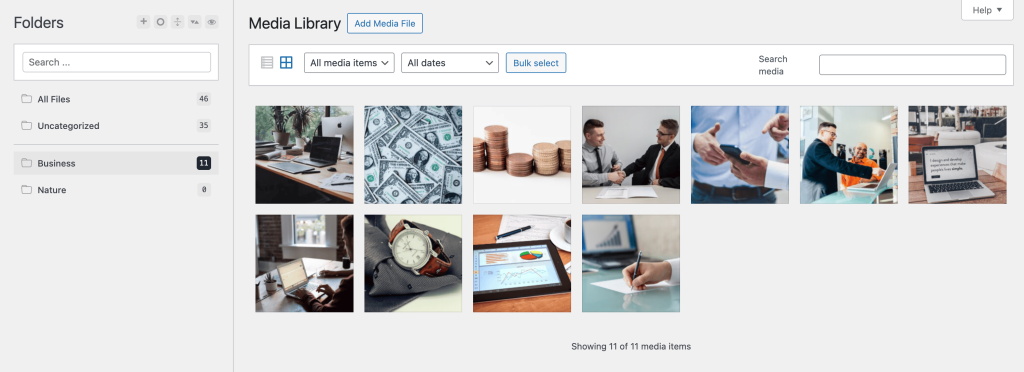
Let’s consider the simple case of images in a “Business” folder.
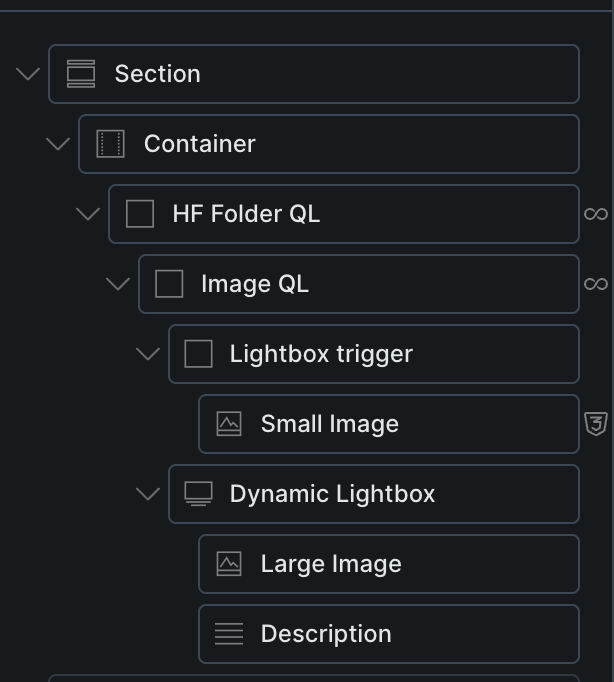
To show these via Bricks query loops, we need to first loop through the ‘Business’ term HappyFiles folder (outer query) and inside that, Media post type attachments in the Business folder (inner query).
Outer query:

Inner query:


Structure:

To make the images clickable to show the full images in lightboxes,
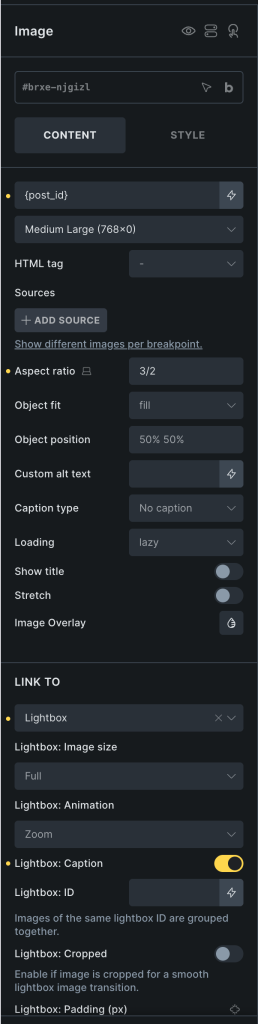
Section JSON (so you copy and paste).
HappyFiles folder images using a single PHP query loop

If you’d like to use a single Bricks query loop, enable PHP query and paste:
// Query attachments in the HappyFiles category
$args = [
  'post_type' => 'attachment',
  'post_status' => 'inherit',
  'posts_per_page' => -1,
  'fields' => 'ids',
  'no_found_rows' => true,
  'tax_query' => [
    [
      'taxonomy' => 'happyfiles_category',
      'field' => 'slug',
      'terms' => 'business',
    ],
  ],
];

$hf_query = new WP_Query( $args );
$image_ids = $hf_query->posts;

// Return query args for Bricks
if ( ! empty( $image_ids ) ) {
  return [
    'post_type' => 'attachment',
    'post_status' => 'inherit',
    'posts_per_page' => -1,
    'no_found_rows' => true,
    'post__in' => $image_ids,
    'orderby' => 'post__in',
  ];
}

// Return empty result set
return [
  'post_type' => 'attachment',
  'post__in' => [ 0 ],
];
Replace business with the slug of your HF folder.
Sign code and save.
HappyFiles folder images with BricksExtras Dynamic Lightbox
To have full control of what should appear inside the lightbox for each image from a specific HappyFiles folder, use Dynamic Lightbox element in BricksExtras.
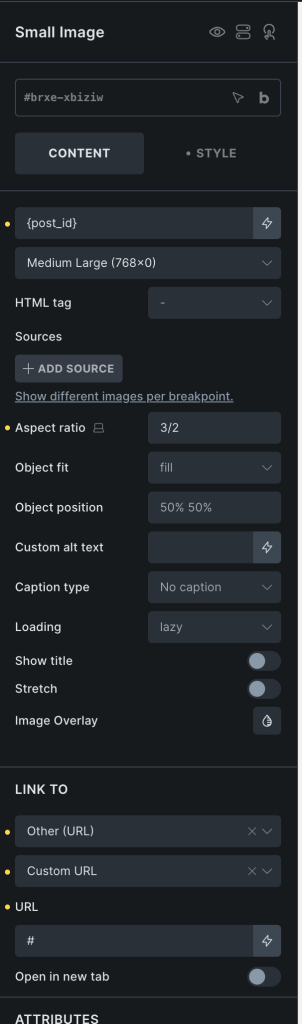
For the ‘Small Image’ a CSS class of post-lightbox has been added.
Make sure it’s set to link to #.
Dynamic Lightbox settings:
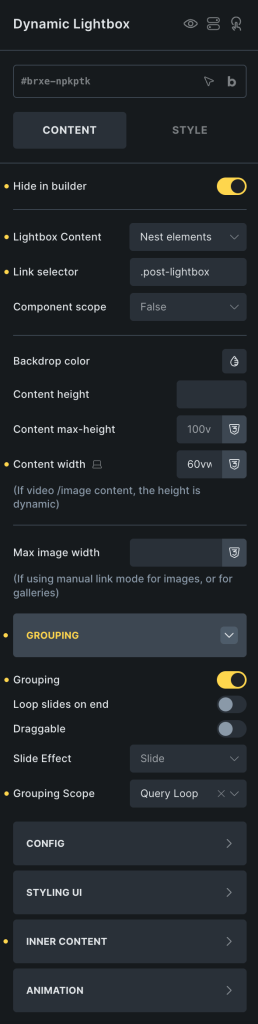
For showing the image description, you could use the x_attachment_description dynamic tag enclosed in curly braces.
Other dynamic tags that BricksExtras adds for attachments (images) are:
- x_attachment_alt_text – Displays the attachment alt text.
- x_attachment_title – Displays the attachment title.
- x_attachment_url – Displays the attachment image URL.
- x_attachment_caption – Displays the attachment caption text.
All the tutorials on HappyFiles in Bricks here. Also, see this Bricks forum post.


1 comment
Rene
Nice!!!!!