31st Jul '25
/
0 comments

WordPress Posts using WP REST API in Bricks

WordPress Posts using WP REST API in Bricks

This Pro tutorial provides the steps to display posts from any WordPress site that has WP REST API enabled in Bricks builder using a custom query type.

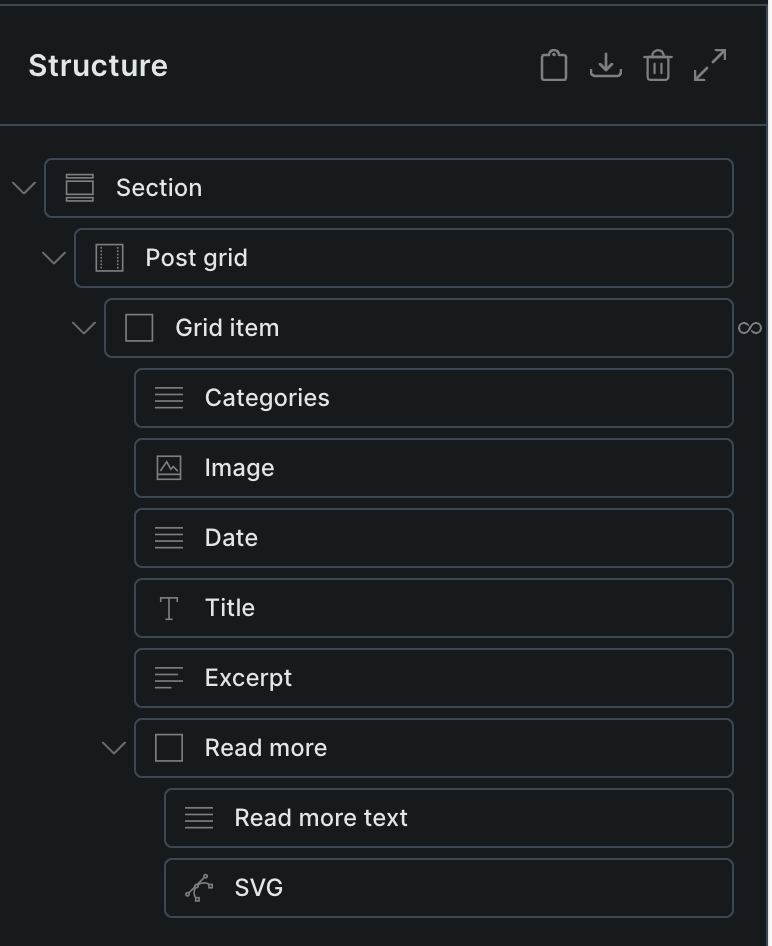
This is the equivalent of the previous tutorial, but with the freedom to use Bricks elements like Basic Text, Heading and Image for visually building the posts layout.
Step 1

Add the following in child theme's functions.php (w/o the opening PHP tag) or a code snippets plugin:

This is a BricksLabs Pro tutorial.

For full access login below or create your BricksLabs Pro account

Get access to all 610 Bricks code tutorials with BricksLabs Pro

Related Tutorials..

Pro
Current Post’s Terms in Bricks

Current Post’s Terms in Bricks

Updated on 15 Jan 2024 This Pro tutorial provides the steps to set up a grid of terms (like categories) that the current post is…
Pro
Adjacent Posts Bricks Query Loop

Adjacent Posts Bricks Query Loop

This Pro tutorial provides the steps to customize a posts query loop in Bricks to show previous and next posts on single post pages. The…
Categories:
Querying Posts by Date Field to Exclude Past Events with ACPT Plugin

Querying Posts by Date Field to Exclude Past Events with ACPT Plugin

In the Bricks' Facebook group, a user asked: Meta query? What am I missing?Hi all, really need a little guidance on this one. I have…
Categories:
How to populate a map with dynamic markers from a CPT using ACF in Bricks (PART 1)

How to populate a map with dynamic markers from a CPT using ACF in Bricks (PART 1)

This tutorial provides the PHP & JS codes that can be pasted in order to create a dynamic map with markers populated from a custom…
Categories:
Pro
Nested Queries in Bricks – Posts Grouped by Published Years and Categories

Nested Queries in Bricks – Posts Grouped by Published Years and Categories

In the past we showed how posts could be grouped by years in Bricks. This Pro tutorial takes it further by grouping posts by categories…
Categories: