15th Nov '25
/
0 comments

HappyFiles Folder Images via Meta Box Taxonomy Field in Bricks Image Gallery

In the Bricks Facebook group, a user asks:

Hey everyone.

I hope you are doing well.

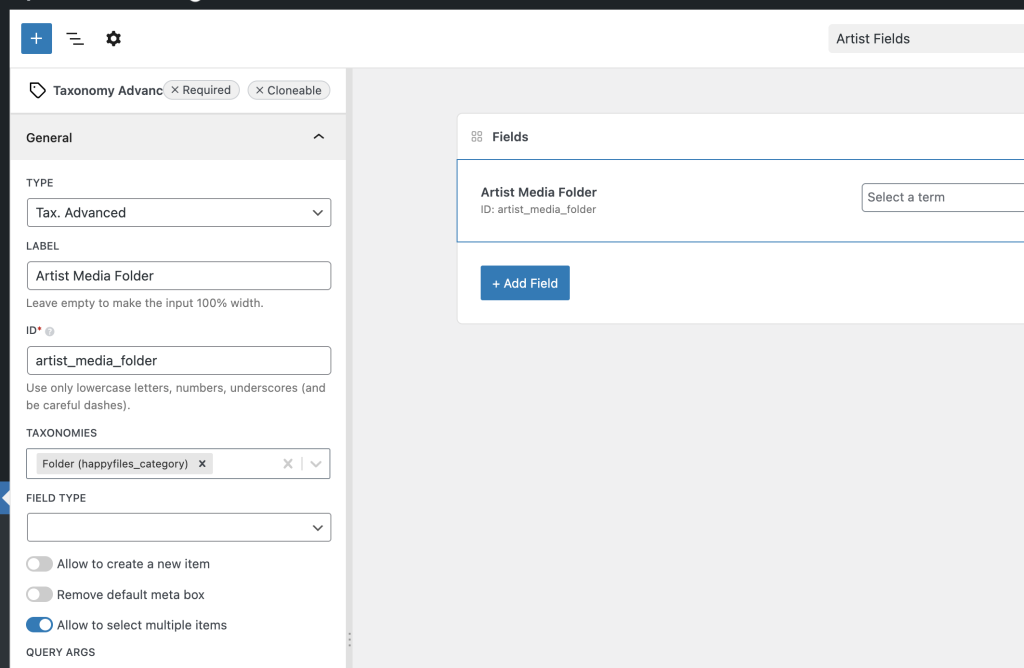
I’m building a single-page template for a custom post type that represents different performance artists. Each artist has their own HappyFiles folder for images, and I’m using a MetaBox Taxonomy Advanced field to select the folder on each post. I have made the HappyFiles category taxonomy public so I can query it in Bricks.

The challenge is that the Bricks gallery element cannot run a query, and when I try to loop a container of Media attachments filtered by the selected HappyFiles folder, the query returns zero images even though the attachments are correctly assigned to that folder.

I may be missing something in the loop setup or the correct method of outputting attachments dynamically. Has anyone managed to query HappyFiles folders dynamically in a Bricks template and display the images without needing separate galleries?

I’m looking for the proper setup to loop attachments by the HappyFiles taxonomy and display them as a gallery for each artist.

Thank you!

This Pro tutorial provides the steps to set the source of Bricks' Image Gallery element on a single post to images present in the selected HappyFiles Folder(s) via a Meta Box Taxonomy or Taxonomy Advanced custom field.

CPT: artist

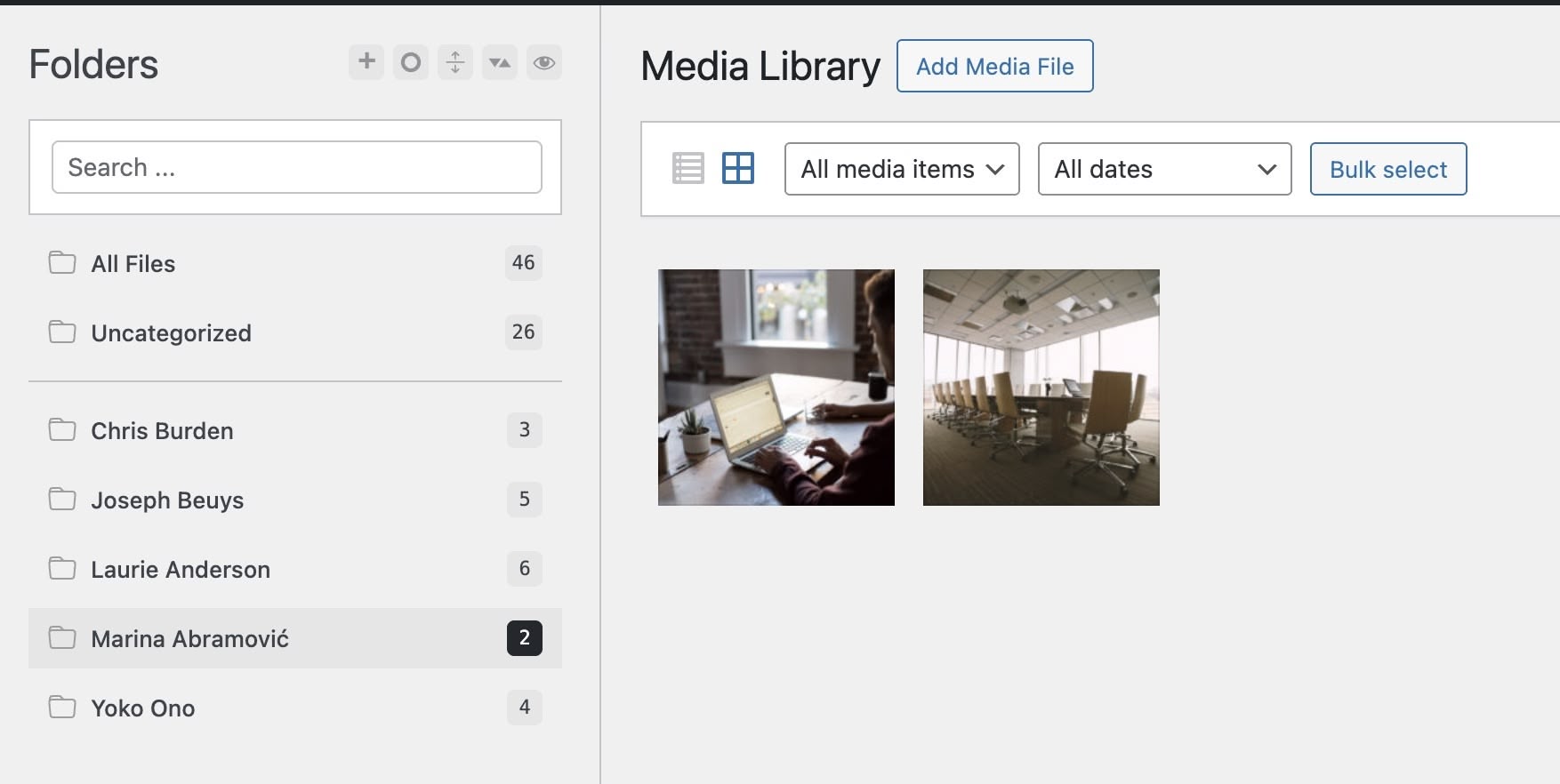
HappyFiles folders with one folder for each artist:
MB custom field for artist posts:
Objective: When viewing the single artist page, show the images from the selected HF folders in the Image Gallery.

We shall also ensure that our solution works when multiple HappyFiles folders are selected.

Step 1

Add the following in child theme's functions.php (w/o the opening PHP tag) or a code snippets plugin:

This is a BricksLabs Pro tutorial.

For full access login below or create your BricksLabs Pro account

Get access to all 630 Bricks code tutorials with BricksLabs Pro

Related Tutorials..

How to create custom colorthemes for your website with happyfiles

How to create custom colorthemes for your website with happyfiles

Happy Files is certainly known to many as the media management of the Wordpress media library, which is in dire need of improvement.
Developed by Thomas…
Pro
Filtering posts by a group field’s subfield value with Meta Box when using a custom table in Bricks

Filtering posts by a group field’s subfield value with Meta Box when using a custom table in Bricks

Filtering a query loop to output only those posts with the value of a Select subfield of a Group field set to Yes when using…
Categories:
Tags:
Pro
Bricks Forms + Meta Box: Auto-Create Post Relationships on Form Submission

Bricks Forms + Meta Box: Auto-Create Post Relationships on Form Submission

How to link a Bricks post-creation form on a post to a newly created post of another post type using Meta Box relationship.
Pro
Ordering Meta Box group rows by a sub field in Bricks

Ordering Meta Box group rows by a sub field in Bricks

In the BricksLabs Facebook group a user asks: Any idea how to set the sort order of a cloneable group in the query? In this…
Pro
Dynamically Displaying Connected Content Offer Images in Bricks using Meta Box Relationship

Dynamically Displaying Connected Content Offer Images in Bricks using Meta Box Relationship

Consider the following scenario from a recent project I worked on. CPT 1: project CPT 2: content-offer Taxonomy for Projects: remodel-typeSample term names: Backyard Cottages…
Pro
Meta Box Color Picker to CSS Custom Property Workflow in Bricks

Meta Box Color Picker to CSS Custom Property Workflow in Bricks

This Pro tutorial provides the steps to declare a custom property (CSS variable) whose value is equal to the post-specific color set via a custom…
Categories:
Tags:
Download Area with HappyFiles

Download Area with HappyFiles

Aside from the series I'm currently writing on how to create custom galleries and sliders with HappyFiles, Metabox and Bricks, I have developed a snippet…
Categories:
Pro
Post Data for the Current User in Bricks with Meta Box

Post Data for the Current User in Bricks with Meta Box

How to configure a query loop to output the post data of the SalesRep CPT associated with the current user.
Categories: