Opens in a new tab
19th Feb '26
/
0 comments

Categories and SubCategories Query Loop Tabs in Bricks

This Pro tutorial provides the steps to use a Tabs (Nestable) Bricks element to show the top-level parent categories as the tab titles and a list of corresponding sub or child categories as the tab pane content.

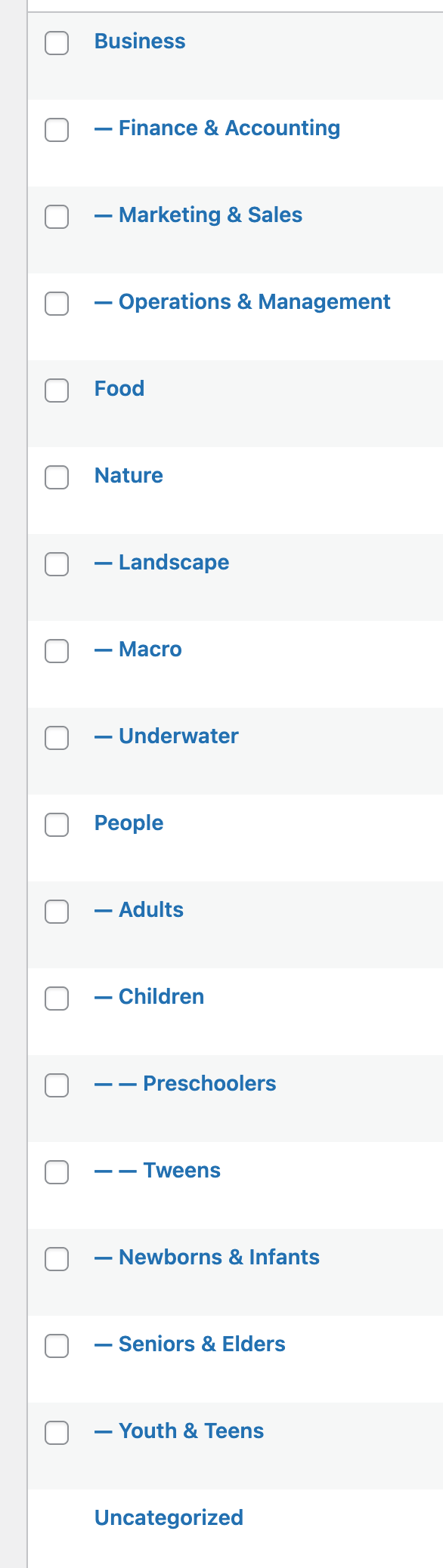
Given a category structure like this
after implementing the tutorial:
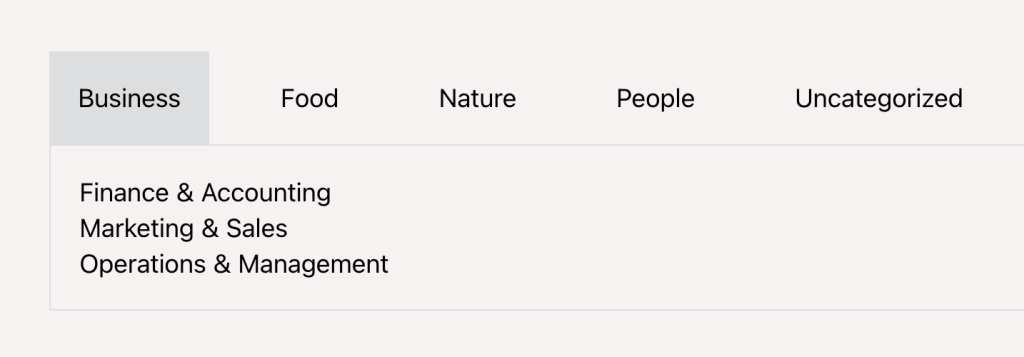
Note: We shall only output the subcategories in level 2 i.e., immediate children of the main top-level parent categories.

Step 1

Copy the Section's JSON from the link below and paste in your Bricks editor.

This is a BricksLabs Pro tutorial.

For full access login below or create your BricksLabs Pro account

Get access to all 633 Bricks code tutorials with BricksLabs Pro

Related Tutorials..

How to List Your Posts Divided by Categories in Bricks

How to List Your Posts Divided by Categories in Bricks

In this tutorial, we'll learn how to display a list of posts divided by each category. The DOM tree Here is how I structured my…
Categories:
Pro
Accordion Grid Query Loop in Bricks

Accordion Grid Query Loop in Bricks

How to set up a accordion in Bricks such that the "titles" are arranged in a grid with the full width content opening below.
Categories:
Pro
Custom Nested Queries in Bricks

Custom Nested Queries in Bricks

In most of the previous tutorials covering nested query loops in Bricks on this site, we accessed the parent query's looping object in the inner…
Categories:
Pro
Post ID Query Variable-based Post Output in Bricks

Post ID Query Variable-based Post Output in Bricks

How to query a single post of a custom post type using the post ID passed to a page via a URL parameter.
Pro
CPT Posts Grouped by Custom Taxonomy Terms in Bricks

CPT Posts Grouped by Custom Taxonomy Terms in Bricks

The steps to set up a Service Category terms loop with an inner Service posts loop in Bricks without writing code.
Categories:
Pro
6 Random Posts from Tag A + 6 Random Posts from Tag B in a Single Bricks Query Loop

6 Random Posts from Tag A + 6 Random Posts from Tag B in a Single Bricks Query Loop

Displaying two set of random posts, inside one query loop.
Categories:
How to Show Future Events in Bricks

How to Show Future Events in Bricks

One of the common requirements in WordPress is being able to filter the events (or could be posts of any post type) to only those…
Categories: