18th Feb '26
/
0 comments

WP Grid Builder’s Load More with ACF Repeater Bricks Query Loop

This Pro tutorial provides the code needed to make WP Grid Builder's Load More facet work with ACF Repeater items output by a Bricks query loop.

Consider these values for a sub field of a "Services" ACF Repeater:
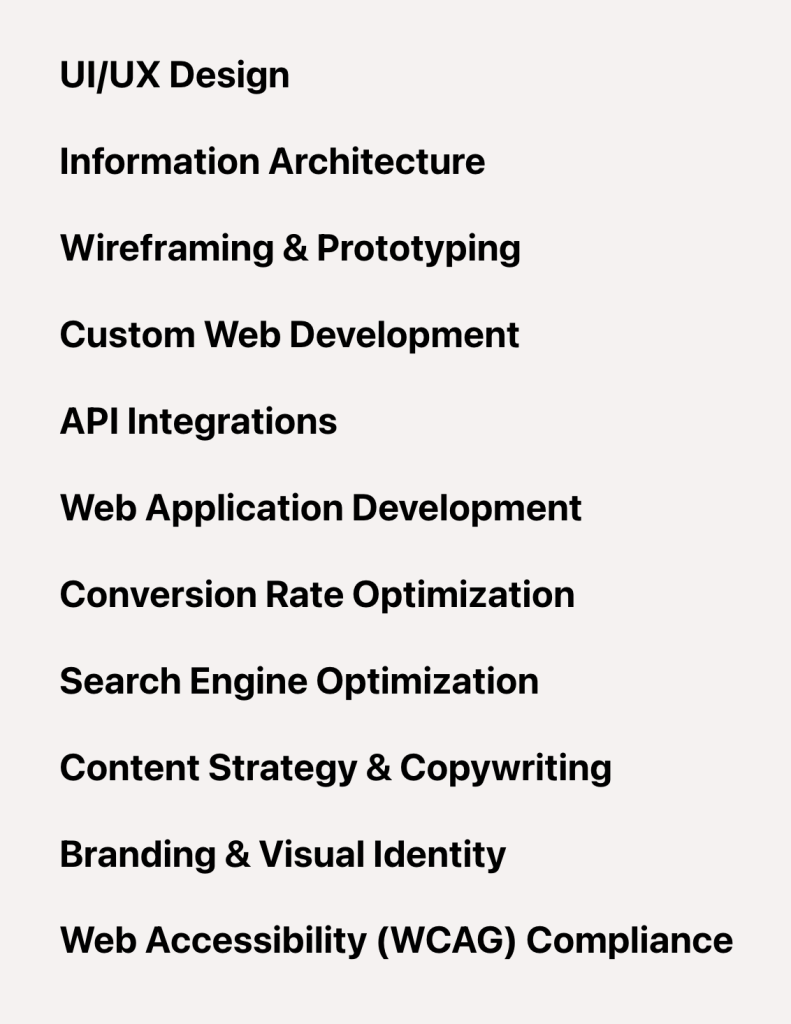
After implementing the tutorial:

Step 1

Add a Load More type facet in WP Grid Builder.

Specify how many items should be shown each time (5 in the above example) - i.e., on the initial page load and after each click of the Load more button.

Step 2

Set up a ACF Repeater query loop and add a Facet element provided by the "WP Grid Builder - Bricks" integration plugin.

Step 3

Add the following in child theme's functions.php (w/o the opening PHP tag) or a code snippets plugin:

This is a BricksLabs Pro tutorial.

For full access login below or create your BricksLabs Pro account

Get access to all 633 Bricks code tutorials with BricksLabs Pro

Related Tutorials..

How to populate a map with dynamic markers from a CPT using ACF in Bricks (PART 2)

How to populate a map with dynamic markers from a CPT using ACF in Bricks (PART 2)

This tutorial provides the PHP & JS codes that can be pasted in order to create a flying effect on map markers each time your…
Pro
Child Posts Section in Bricks

Child Posts Section in Bricks

This Pro tutorial provides the steps to limit the posts (can be of any post type) output by Bricks' query loop to children of the…
Categories:
Pro
Recently Viewed Posts Bricks Query Loop

Recently Viewed Posts Bricks Query Loop

How to output the most recent X number of posts (any post type) viewed by the current visitor.
Categories:
Pro
Sorting ACF Relationship Posts by Date Meta in Bricks

Sorting ACF Relationship Posts by Date Meta in Bricks

Consider the following setup: CPT: Events ACF Fields:Event Date Information (Group)|__Event Date (Date Picker)Pick Sub Events (Relationship) An Event can have 1 or more related…
Loop Item ID and Loop Item Object in Bricks

Loop Item ID and Loop Item Object in Bricks

If you are working on a Bricks site with specific requirements, chances are you need to grab the ID and/or object of the current item…
Categories: