28th Feb '25
/
9 comments

Filtering Bricks Query Loop By Meta Box Relationship

In the Bricks Facebook group a user asks:

Display based on relationship

I'm trying to run a query loop that only outputs posts that have a value in their relationship. So there are Services Areas and City Pages. Some of the Service Areas do not yet have City Pages written for them, but will be adding over the next few months.

I want my query loop to only output Service Areas that have a related City Page. I can't seem to make it work.

Consider this setup:

CPTs: Service Areas and City Pages

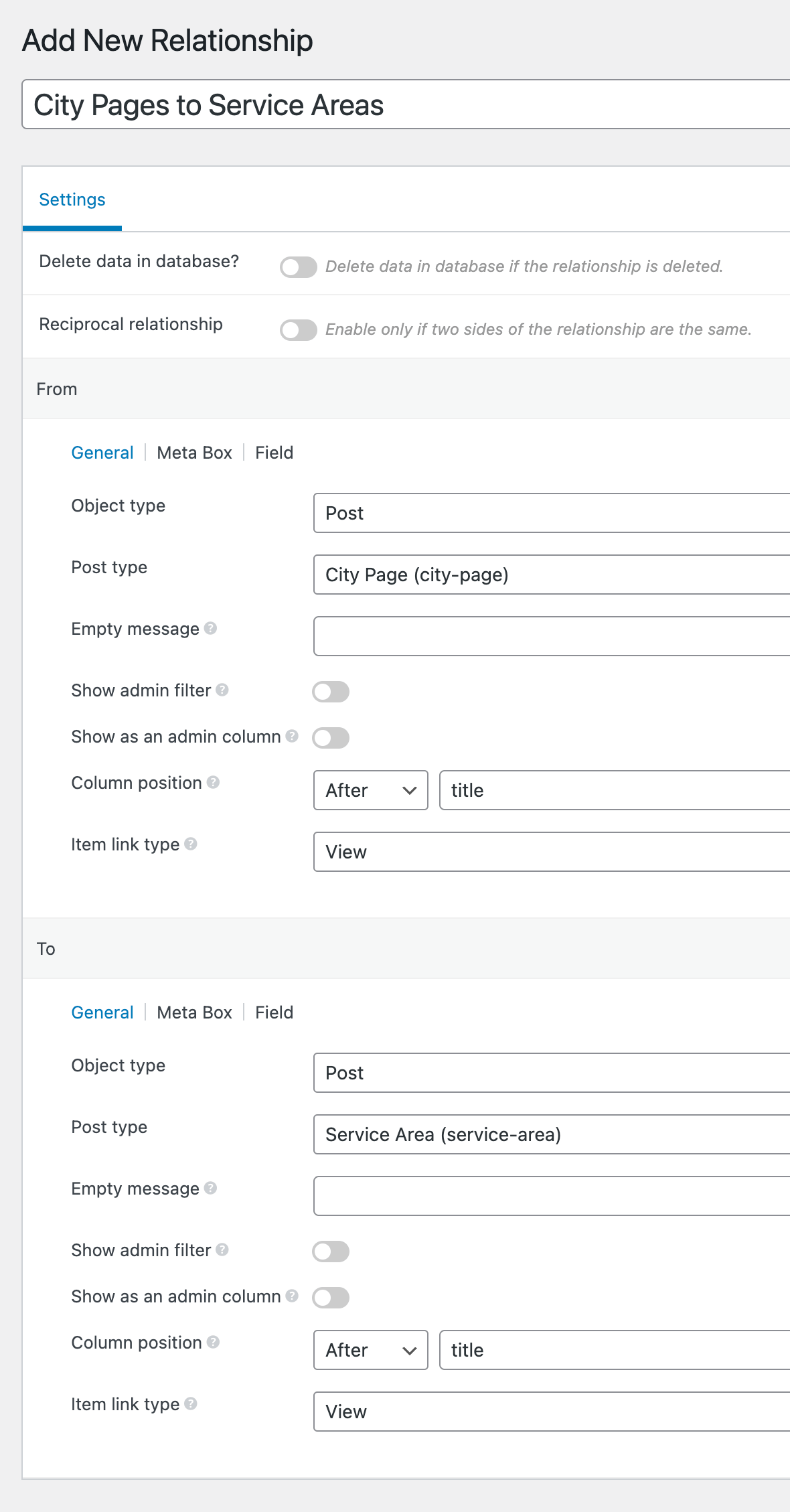
Meta Box Relationship: City Pages to Service Areas

A Service Area post can have 0 or 1 or more City Page(s).

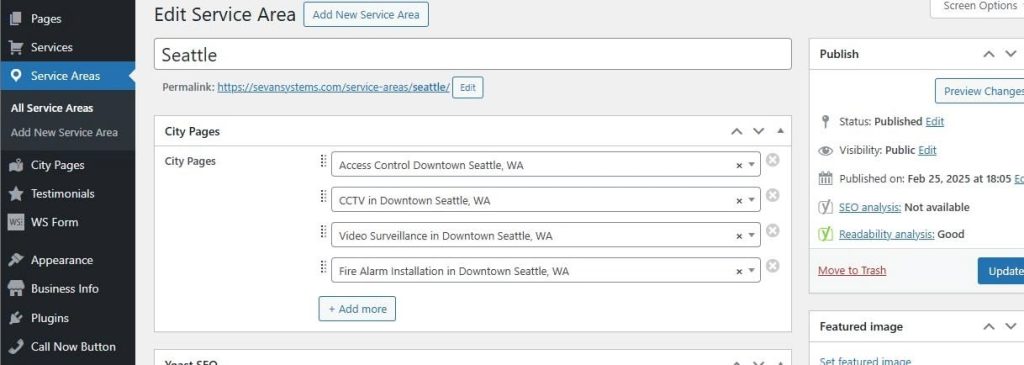
Sample Service Area with some City Pages:

Sample Service Area with no City Pages:

The objective is to only output the Service Area posts that have at least 1 connected/related City Page.

Service Areas query loop by default:

Service Areas query loop after implementing this Pro tutorial:

Steps in brief:

In the Bricks Query Loop PHP editor

  1. Get all service area IDs.
  2. Loop through each service area and for each, check if there is at least 1 connected city using MB's Relationship API. If so, store the service area ID in an array.
  3. Set post__in to the above array.

Step 1

Install and activate Meta Box and its AIO extension.

Create both the CPTs and a relationship.

Step 2

Create a few Service Area posts whilst selecting the related City Pages as applicable.

Step 3

Edit a Page or a Template and set up a query loop on a Block.

Select Service Areas as the Post type.

Enable PHP query editor and paste:

This is a BricksLabs Pro tutorial.

For full access login below or create your BricksLabs Pro account

Get access to all 621 Bricks code tutorials with BricksLabs Pro

Related Tutorials..

Pro
Meta Box Checkbox List Query Type in Bricks

Meta Box Checkbox List Query Type in Bricks

This Pro tutorial provides the steps to add a new query type in Bricks builder for displaying the values of a Checkbox List type of…
Categories:
Pro
Filtering ACF Relationship Query by Post Meta in Bricks

Filtering ACF Relationship Query by Post Meta in Bricks

How to filter the posts of a post type related to another post type based on the value of a True / False type ACF…
Pro
MB Favorite Posts in Bricks

MB Favorite Posts in Bricks

This tutorial explores using MB Favorite Posts in Bricks, including outputting the list of favorites via a query loop.
Categories:
Pro
Meta Box/ACF Images Staggered Grid Gallery in Bricks

Meta Box/ACF Images Staggered Grid Gallery in Bricks

Showing images from two Gallery-type of ACF or Image Advanced-type of Meta Box fields in a staggered grid layout.
Limiting the Query Loop Posts Output to Post IDs From a Custom Field in Bricks

Limiting the Query Loop Posts Output to Post IDs From a Custom Field in Bricks

A user asks: Recently Bricks introduced the PHP query editor that lets us modify the query parameters right within the query dialog of the builder…
Categories:
Tags:
Pro
Bricks Forms + Meta Box: Auto-Create Post Relationships on Form Submission

Bricks Forms + Meta Box: Auto-Create Post Relationships on Form Submission

How to link a Bricks post-creation form on a post to a newly created post of another post type using Meta Box relationship.